‘Discovered’ or ‘Crawled – Currently Not Indexed’ in Google Search Console: What It Means for a New Website

Last checked: 10 October 2026. This guide summarises explanations from SEO publications and reports of Google Search Central videos. Menu names in Google Search Console change from time to time, so follow the labels you see on your own screen.
You publish a new article, open Google Search Console and find the page listed under “Discovered – currently not indexed” or “Crawled – currently not indexed”. For a new website this is one of the most common and most stressful messages. The two statuses look similar but mean different things, and the right response is different too. This article explains each one, how to tell whether you have a real problem and what to do without wasting weeks on myths.
Two stages: crawling and indexing
Google handles a page in two steps. First it crawls: Googlebot visits the URL and reads the page. Then it decides whether to index it, meaning store it so it can appear in search results. A page can fail at either step, and Search Console reports which one.
“Discovered – currently not indexed”
This status means Google knows the URL exists, for example from your sitemap or a link, but has not visited it yet. Reports of a Google Search Central video, as covered by PPC Land, say this is not necessarily an error. The URL joins a list of pages to crawl later, and some stay there longer than others. Google’s documentation, as quoted by Contextbolt, says one possible cause is that Google expected crawling the page to overload the site and rescheduled it. For a small new site the simpler explanation is usually that Google has not prioritised the pages yet.
“Crawled – currently not indexed”
Here Google visited the page and chose not to add it to the index for now. Ahrefs and Rightblogger both describe it as a status, not a penalty, but Ahrefs adds that it typically points to some kind of quality issue. The word “currently” matters: pages can move into the index later, and a page that is in the index may still appear here for a while because report data lags.
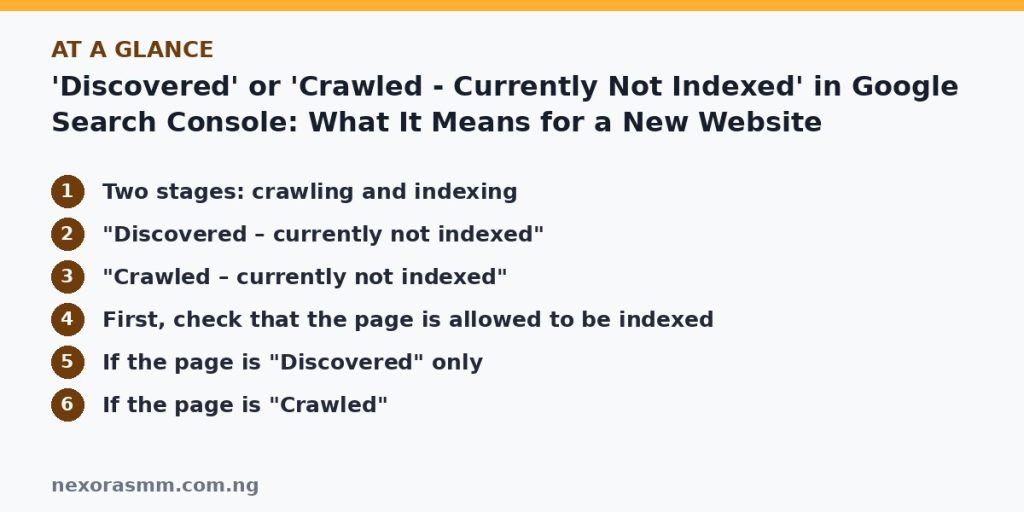
First, check that the page is allowed to be indexed
- Open the report. In Search Console, go to Indexing, then Pages, scroll to the table explaining why pages are not indexed and click the status row to see example URLs.
- Inspect one URL. Paste it into the URL Inspection tool and run the live test, so you see how the page responds today, not an old snapshot.
- Look for blockers. Check for a “noindex” tag, a robots.txt rule that blocks the page, a login or cookie wall, server errors and very slow loading. Explanations from SEO sites consistently list these first.
- Check the canonical. Make sure the page does not point to a different URL as its main version.
If the page is “Discovered” only
Focus on helping Google find and want the page. Add links to it from your home page, category pages and related articles, using descriptive link text. Make sure it is in your XML sitemap. Do not mass-submit hundreds of URLs through “Request indexing”: Contextbolt notes the tool is quota-limited and built for individual pages. Then give it time, since new sites are often crawled slowly at first.
If the page is “Crawled”
Treat it as a quality and usefulness question. Ask whether the page says something clearly different from existing results, whether it answers the reader’s question completely and whether it is almost the same as another page on your site. SEO guides recommend merging near-duplicates, improving thin pages, adding original detail and linking to the page from stronger, already-indexed articles. After a real improvement, request indexing once through URL Inspection. Rightblogger also points out that AI-drafted pages can be indexed, so the question is value, not the writing tool.
What is normal and what is not
Some URLs should stay out of the index, such as tag pages, search results and pagination. A long list of those is not a problem. A problem is when your important articles, the ones you want readers to find, stay in these statuses for many weeks while the site has few quality signals, few internal links or many near-duplicate posts. In that case, publishing fewer, better articles usually helps more than submitting the same URL repeatedly.
What we could not confirm
- How long Google will take for your site. Reports say it varies, and I found no official time limit.
- The current wording and menu layout of Google’s own help page for the Page indexing report, because I relied on publications that quote it.
- Whether any particular ranking or indexing effect applies to your site, since that depends on your content and history.
Frequently asked questions
Is “currently not indexed” a penalty? No. Sources describe it as a status in the report, not a manual action.
Should I request indexing every day? No. Request it once after you fix something, then wait.
Do these statuses affect AdSense approval? I found no source that links these statuses directly to AdSense approval. Still, pages that Google chooses not to index often share weaknesses that any reviewer would notice, such as thin, repetitive or duplicate content, so fixing them helps either way.
Key takeaways
“Discovered” means Google has not visited yet, so improve links and be patient. “Crawled” means Google visited and passed for now, so improve the page. Check for noindex and other blockers first, use “Request indexing” sparingly and put your effort into fewer, stronger pages.
Sources checked
- PPC Land, “Google explains ‘Discovered – currently not indexed’ status in Search Console”
- Ahrefs, “What ‘Crawled – currently not indexed’ means in Google Search Console”
- Rightblogger, “Crawled – Currently Not Indexed: What It Means and How to Fix It (2026)”
- Onely, “How to fix ‘Discovered – currently not indexed’ in Google Search Console”
- Contextbolt, “Discovered, Currently Not Indexed: Why Google Waited”
- JumpFly, “Is Quality Why Your Pages Are Crawled but Not Indexed?”
Educational content only — not financial advice. Income and savings results vary and are never guaranteed. How we write
Enjoyed this story?
Get the best stories delivered weekly.