How to Monetize a Website With Google AdSense

Last checked: 11 October 2026. This guide is based on Google’s AdSense help pages and 2026 guides that quote them. AdSense policies can change at any time, and Google says it is your responsibility to keep up with them, so read the current Program policies before you apply.
AdSense is the most common way to earn from a website, and also the most misunderstood. People believe it needs a certain number of visitors, a particular number of posts or a special trick. In fact, Google’s own pages put the weight on a few clear things: your content, your policies, your ownership of the site and your age. This guide walks through the process from a ready site to a live ad, explains the site statuses you will see and lists the mistakes that most often hold sites back. For payments after approval, see our separate guide on how AdSense pays.
What Google says you need
Google’s eligibility page says that if you have your own content that meets its policies and you are 18 or over, you can sign up. It asks whether your content is high quality, original and able to attract an audience, and whether it complies with the AdSense Program policies. It also notes that you must be able to access the HTML source code of the site you submit. If you are under 18, Google says a parent or guardian can sign up using their own Google account, and payments go to that adult.
One 2026 guide that checked Google’s eligibility and ownership pages found no minimum traffic requirement there. Treat traffic myths with caution, but do not take that to mean a site with a few thin posts will be approved, because content quality is where Google puts its attention.
Before you apply: get the site ready
- Publish original, useful pages. Google’s site-review guidance says to provide enough unique content that gives people a reason to visit and return, and to avoid duplicate content.
- Make sure the site is complete. Working navigation, a clear About page, a Contact page and a Privacy Policy. One guide calls a privacy policy non-negotiable, and it is also required in practice if you use ads or analytics.
- Check that the crawler can reach the site. Google’s pages ask whether the AdSense crawler can access your pages without a password, so remove “coming soon” and login walls.
- Review the policies. Read the AdSense Program policies and the Google Publisher Policies before you submit. Policies apply to your whole site, not just one page.
- Fix thin and duplicate pages. Merge near-duplicates, expand short posts and remove pages that add nothing. Our guide with a 12-question self-audit can help.
How the approval process works
When you add a site to your AdSense Sites list, Google verifies that you own it and then reviews it for policy compliance. Google’s help page says you can serve ads only after the site passes review and shows the status “Ready”. Ownership can be verified through the ad code, an ads.txt file or a meta tag, and Google says it will notify you when the site is ready to show ads.
You will see one of these statuses in the Sites list:
- Getting ready: Google is running checks on your site. Google advises you not to remove and resubmit the site during this time, because that can delay the process.
- Needs attention: there are issues to fix before ads can show. Open the site for details, fix the problems and request a new check.
- Ready: your site can show ads, provided you keep following the policies at all times.
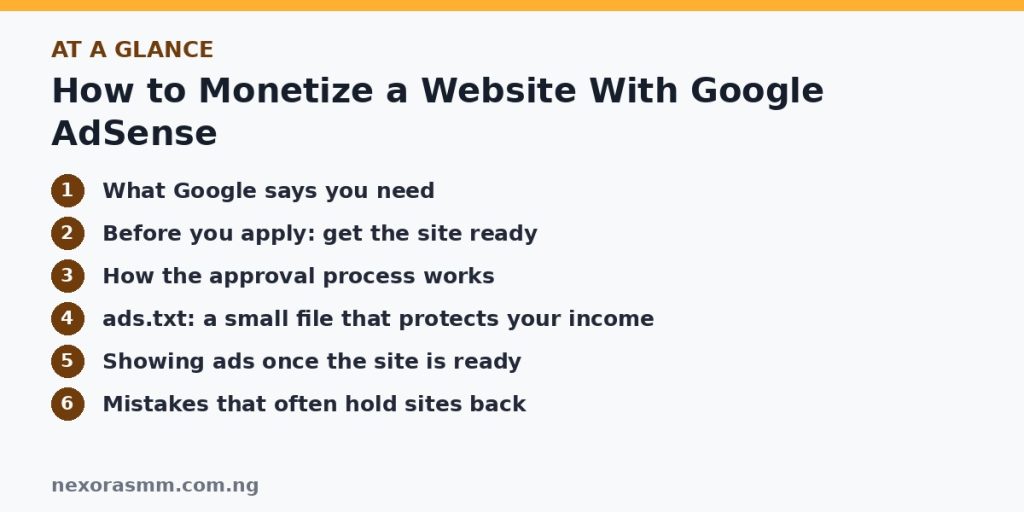
ads.txt: a small file that protects your income
Google recommends publishing an ads.txt file in the root of your site. It lists your publisher ID so that no one else can sell ad space on your site under another account. The Sites list shows an ads.txt status: Authorized means your publisher ID was found, Not found means the crawler found no file and Unauthorized means ad requests from your site are being rejected because your ID is missing. A wrong or missing file can stop ads from showing even after approval, according to one 2026 guide.
Showing ads once the site is ready
The quickest route is Auto ads, where Google places ads for you after you add one piece of code to your pages. Many beginners start with Auto ads and then review how the pages look on a phone. Whatever you choose, keep the reader first: ads should not cover content, trick people into clicking or sit where visitors tap by accident. Remember that you must never click your own ads or ask others to do so, and the AdSense policies cover invalid activity.
Mistakes that often hold sites back
- Copied or rewritten content. Pages that repeat what is on other sites, such as news pasted from other outlets, are the opposite of original content.
- Too little real content. A site of very short posts gives Google little to approve.
- Policy-violating topics. Check the policies for restricted subjects, and avoid anything that misleads people.
- Unclear ownership. Use a site you control. Google says you need access to its source code.
- Stale or empty pages. Placeholder posts such as default sample pages and “coming soon” pages hurt first impressions.
- Constant resubmitting. Fix the issues and wait, as Google advises.
After approval: keep earning legitimately
Check the Policy center regularly for warnings, keep adding useful articles, update old ones and watch how readers use your pages. Remember that payment needs a verified address and a balance that reaches the payment threshold, which we explain in our payments guide. Income from ads usually grows slowly with traffic, so treat AdSense as one part of a site that serves readers first.
What we could not confirm
- How long your own site’s review will take. Google gives no fixed time.
- Whether specific topics or content mixes on your site will pass. Only Google’s review can decide.
- Any minimum number of posts. I found none on Google’s eligibility pages, and guides that claim one are not citing a Google requirement.
Frequently asked questions
Do I need a custom domain? Google’s pages emphasise owning the site and accessing its source code. If you use a free subdomain on someone else’s platform, check that platform’s rules, because you may not control the code.
Is there a traffic requirement? I found none on the eligibility pages I reviewed, but approval depends on content quality and policy compliance.
What if my site shows “Needs attention”? Open the details, fix the problems, then ask for a new check. Do not delete and re-add the site.
Key takeaways
AdSense approval rests on original useful content, policy compliance, control of your site and being 18 or over. Prepare the site first, add it to the Sites list, verify ownership, wait for “Ready” and publish an ads.txt file. Never click your own ads, and keep improving your content, because quality is the long-term way to earn.
Sources checked
- Google AdSense Help, “Eligibility requirements for AdSense”
- Google AdSense Help, “Add a new site to your AdSense sites list”
- Google AdSense Help, “Check the status of your AdSense sites”
- Google AdSense Help, “Manage your sites list”
- Google Programmable Search Help, “Problems with ads” (AdSense site review guidance)
- TheGuideX, “Google AdSense Approval in 2026: The Real Eligibility Requirements”
- BloggingGuide, “How to Get Accepted to Google AdSense”
Educational content only — not financial advice. Income and savings results vary and are never guaranteed. How we write
Enjoyed this story?
Get the best stories delivered weekly.