How to Build a Trading Dashboard That Displays Trend, Spread and Volatility
Last checked: 12 October 2026. This guide draws on the MQL5 reference for chart objects, SymbolInfoInteger and iATR. Code is a teaching example; test on a demo account.
A dashboard puts the numbers you care about in one corner of the chart so you do not have to hunt for them. This guide builds a compact MT5 dashboard that shows three things for a list of symbols: trend direction, current spread and volatility measured by ATR. It also explains one design choice that matters, which is how to keep a dashboard from slowing your terminal.
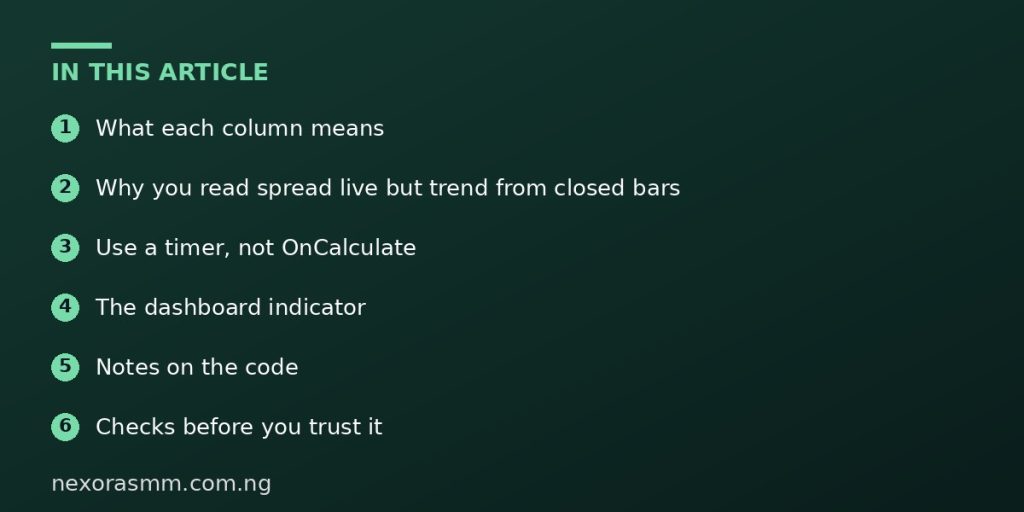
What each column means
- Trend: UP, DOWN or FLAT, using the closed-bar moving average comparison from the scanner article.
- Spread: the difference between ask and bid in points. A wide spread raises the real cost of entering a trade, and it is often large around news and at the market’s daily rollover.
- Volatility: the ATR value converted into points, which tells you how far the symbol typically moves per candle.
Why you read spread live but trend from closed bars
Spread is a live quantity. It changes tick by tick, and you want the current figure. Trend and ATR should come from closed bars so they do not flicker. One MQL5.com author points out that historical spread cannot be reconstructed reliably in the Strategy Tester, so a signal that depends on spread behaves differently on history than live. For a dashboard that only displays spread, this is fine. Just do not feed spread into a rule you intend to backtest.
Use a timer, not OnCalculate
If the dashboard recalculates on every tick for many symbols, it can waste processing. A better pattern is an indicator that uses EventSetTimer to refresh once every second or two. The indicator below does this, draws text with OBJ_LABEL objects and removes them when it is unloaded.
The dashboard indicator
#property indicator_chart_window
#property indicator_buffers 0
#property indicator_plots   0

input string          InpSymbols = "EURUSD,GBPUSD,USDJPY,XAUUSD";
input ENUM_TIMEFRAMES InpTF      = PERIOD_M30;
input int             InpFast    = 20;
input int             InpSlow    = 50;
input int             InpAtr     = 14;

string PFX = "DB_";
string g_sym[];
int    g_hF[], g_hS[], g_hA[];

void Label(const string name, const string text, int x, int y, color clr)
  {
   if(ObjectFind(0, name) < 0)
     {
      ObjectCreate(0, name, OBJ_LABEL, 0, 0, 0);
      ObjectSetInteger(0, name, OBJPROP_CORNER, CORNER_LEFT_UPPER);
      ObjectSetString (0, name, OBJPROP_FONT, "Consolas");
      ObjectSetInteger(0, name, OBJPROP_FONTSIZE, 10);
     }
   ObjectSetInteger(0, name, OBJPROP_XDISTANCE, x);
   ObjectSetInteger(0, name, OBJPROP_YDISTANCE, y);
   ObjectSetInteger(0, name, OBJPROP_COLOR, clr);
   ObjectSetString (0, name, OBJPROP_TEXT, text);
  }

int OnInit()
  {
   int n = StringSplit(InpSymbols, ',', g_sym);
   ArrayResize(g_hF, n); ArrayResize(g_hS, n); ArrayResize(g_hA, n);
   for(int i = 0; i < n; i++)
     {
      StringTrimLeft(g_sym[i]); StringTrimRight(g_sym[i]);
      SymbolSelect(g_sym[i], true);
      g_hF[i] = iMA(g_sym[i], InpTF, InpFast, 0, MODE_EMA, PRICE_CLOSE);
      g_hS[i] = iMA(g_sym[i], InpTF, InpSlow, 0, MODE_EMA, PRICE_CLOSE);
      g_hA[i] = iATR(g_sym[i], InpTF, InpAtr);
     }
   EventSetTimer(2);
   return(INIT_SUCCEEDED);
  }

void OnDeinit(const int reason)
  {
   EventKillTimer();
   for(int i = 0; i < ArraySize(g_sym); i++)
     { IndicatorRelease(g_hF[i]); IndicatorRelease(g_hS[i]); IndicatorRelease(g_hA[i]); }
   ObjectsDeleteAll(0, PFX);
  }

int OnCalculate(const int rates_total, const int prev_calculated,
                const datetime &time[], const double &open[],
                const double &high[], const double &low[],
                const double &close[], const long &tick_volume[],
                const long &volume[], const int &spread[])
  { return(rates_total); }

void OnTimer()
  {
   Label(PFX + "H", "SYMBOL   TREND  SPREAD  ATR(pts)", 15, 20, clrSilver);
   for(int i = 0; i < ArraySize(g_sym); i++)
     {
      string s = g_sym[i];
      double f[], sl[], a[];
      string trend = "WAIT"; color clr = clrGray; string atrTxt = "-";

      if(CopyBuffer(g_hF[i], 0, 1, 1, f)  == 1 &&
         CopyBuffer(g_hS[i], 0, 1, 1, sl) == 1 &&
         CopyBuffer(g_hA[i], 0, 1, 1, a)  == 1)
        {
         double pt = SymbolInfoDouble(s, SYMBOL_POINT);
         if(f[0] > sl[0]) { trend = "UP";   clr = clrLimeGreen; }
         else if(f[0] < sl[0]) { trend = "DOWN"; clr = clrTomato; }
         else trend = "FLAT";
         if(pt > 0) atrTxt = DoubleToString(a[0] / pt, 0);
        }
      long spr = SymbolInfoInteger(s, SYMBOL_SPREAD);
      string line = StringFormat("%-8s %-5s  %5d   %s", s, trend, (int)spr, atrTxt);
      Label(PFX + "R" + IntegerToString(i), line, 15, 40 + i * 18, clr);
     }
   ChartRedraw();
  }
Notes on the code
All handles are created once in OnInit rather than on every refresh. Creating handles repeatedly is slow and leaks resources. The empty OnCalculate is required because an indicator must have one, but all the work happens in OnTimer. The label function creates an object only if it does not exist, then updates it, which avoids flicker. A monospaced font such as Consolas keeps the columns aligned.
SYMBOL_SPREAD returns spread in points. On 5-digit forex symbols 10 points equal 1 pip, so check your broker’s digits before interpreting the number.
Checks before you trust it
- Compare the spread column with the Market Watch window.
- Divide a symbol’s ATR by its point value by hand once to confirm the points figure.
- Close the terminal’s market on a weekend and see what the dashboard shows. It should show WAIT or stale data, not crash.
Step by step: installing the dashboard
- In MetaEditor create a custom indicator named MiniDash and paste the code.
- Compile with F7 and fix any errors.
- Attach it to any chart. Within two seconds the first rows appear in the upper left corner.
- Edit the Symbols input to match your broker’s exact symbol names.
Reading spread and ATR together
Spread and ATR make most sense side by side. If the spread is thirty points and the ATR is three hundred points, the spread is one tenth of a typical candle, which is a modest cost. If the spread is thirty points and the ATR is eighty, the spread eats more than a third of a typical move, and short-term trades on that symbol are expensive. Seeing both numbers together helps you skip symbols where costs are high relative to movement.
Making the dashboard your own
- Change the corner and offsets so it does not cover your price bars.
- Colour the spread red when it exceeds a limit you set in an input.
- Add a column for the higher-timeframe trend using the filter from this series.
- Add a last-update time so you can see whether the timer is still running.
Keep the layout simple. A dashboard with fifteen columns is harder to read than the chart it sits on.
When the dashboard shows WAIT
The WAIT label means CopyBuffer returned fewer values than requested. This is normal for the first few seconds after you attach the indicator, because the terminal downloads history for every symbol and timeframe in your list. It also appears when a symbol’s market is closed and no recent bars exist. If WAIT persists for minutes on an open market, check that the symbol name matches your broker’s exactly and that the symbol is visible in Market Watch.
What we could not confirm
- Timer performance on very long symbol lists or very slow computers.
- That a 2-second refresh is ideal for every machine.
Frequently asked questions
Can a dashboard trade for me? This one cannot. It only displays information.
Why not draw it with a table object? MQL5 has no native table control, and labels are simple and reliable.
Key takeaways
Create handles once, refresh on a timer, show live spread but closed-bar trend and ATR, and clean up your objects when the indicator is removed.
Sources checked
- MQL5 Reference, EventSetTimer, OBJ_LABEL, SymbolInfoInteger and iATR, mql5.com
- MQL5.com blog post on measuring repainting and spread in the Strategy Tester
Educational content only — not financial advice. Income and savings results vary and are never guaranteed. How we write
Enjoyed this story?
Get the best stories delivered weekly.