How to Connect a Trading Dashboard to Live Market Data Safely
Last checked: 12 October 2026. This guide draws on the MQL5 reference and MQL5 Book pages for WebRequest, and on MetaQuotes documentation about terminal settings. It describes safe design patterns; it is not a security audit. Never test with your real account details.
At some point you will want a dashboard to show live market data on a web page or to push data from MetaTrader 5 to a service you control. Done carelessly, this can expose your account, break your terminal or show wrong prices. This guide explains how data can safely flow out of MT5, which MQL5 features are allowed where, and the rules that keep the connection safe.
First rule: send data out, not commands in
The safest design is one-way. MT5 reads prices and sends a small summary to a server or file. The web page only displays it. Nothing on the web can place trades or change settings. If you ever add a path that lets a website trigger orders, you have created a remote control for your account, and every weakness in that website becomes a weakness in your trading.
What MQL5 allows, and where
The MQL5 reference explains the rules for WebRequest, the function that sends HTTP or HTTPS requests:
- You must add each server address to the list of allowed URLs in Tools, then Options, then the Expert Advisors tab. Requests to unlisted addresses fail.
- WebRequest is synchronous: it stops your program until the server answers. Because indicators share a single thread per symbol, the function is not available in indicators, and calling it there returns error 4014. It can be called only from Expert Advisors and scripts.
- WebRequest cannot run in the Strategy Tester.
- The MQL5 Book notes the length of a network address is limited, with a limit of 1024 bytes at the time of its writing, so avoid very long URLs.
The consequence for design is clear: put the sending code in an Expert Advisor with a timer, not in an indicator, and keep each request short.
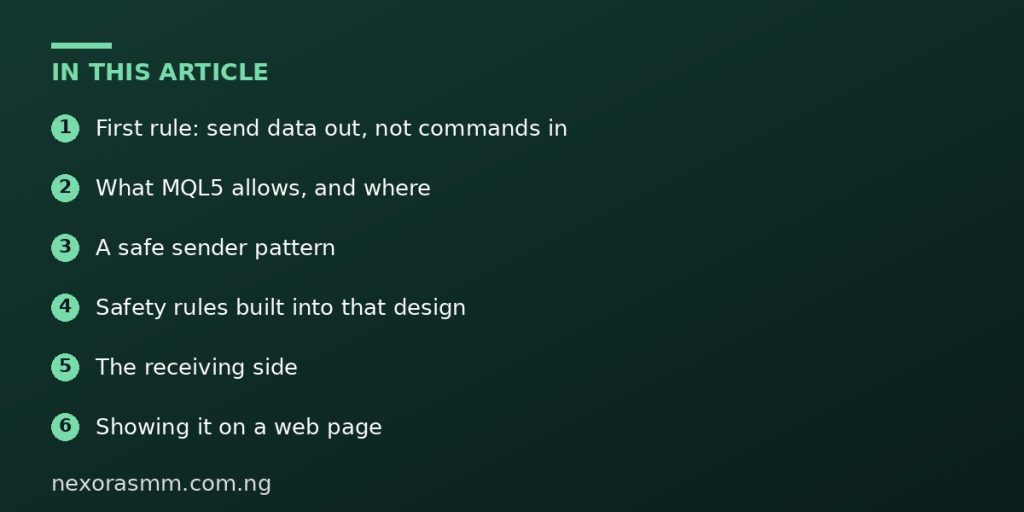
A safe sender pattern
This EA sends a small JSON snapshot of bid, ask and spread for the chart symbol every five seconds. It uses a placeholder address that you must replace with your own server and add to the allowed list.
input string InpUrl      = "https://example.com/api/prices"; // replace with your own
input int    InpSeconds  = 5;
input string InpToken    = "";   // a long random token you generate for this feed only

int OnInit()
  {
   EventSetTimer(InpSeconds);
   return(INIT_SUCCEEDED);
  }

void OnDeinit(const int reason) { EventKillTimer(); }

void OnTimer()
  {
   MqlTick t;
   if(!SymbolInfoTick(_Symbol, t)) return;

   string json = StringFormat(
      "{"symbol":"%s","bid":%.*f,"ask":%.*f,"time":%I64d}",
      _Symbol, _Digits, t.bid, _Digits, t.ask, (long)t.time);

   char body[], result[];
   string reqHeaders = "Content-Type: application/jsonrnAuthorization: Bearer " + InpToken + "rn";
   string respHeaders;
   StringToCharArray(json, body, 0, StringLen(json));   // no trailing zero byte

   ResetLastError();
   int code = WebRequest("POST", InpUrl, reqHeaders, 3000, body, result, respHeaders);
   if(code == -1)
     {
      int err = GetLastError();
      if(err == 4060)
         Print("Add the URL to Tools > Options > Expert Advisors > Allow WebRequest");
      else
         PrintFormat("WebRequest failed, error %d", err);
      return;
     }
   if(code != 200)
      PrintFormat("Server replied with HTTP %d", code);
  }
Safety rules built into that design
- Only market data leaves the terminal. No account number, balance, login or open positions. If you want to show performance, send only what you are happy to be seen.
- A dedicated token. Use a random token created for this one feed so you can revoke it without touching anything else. Do not reuse a password.
- HTTPS only. Never send tokens over plain HTTP.
- A short timeout and a low rate. A three-second timeout stops a slow server from freezing the EA for long. A five-second interval avoids hammering your server.
- Exact allowed URL. Add only your own host to the allowed list, not broad addresses.
The receiving side
On your server, validate the token, check the symbol against a short allow-list, reject oversize requests and rate-limit the endpoint. Treat everything from the terminal as untrusted input, because anyone who learns your URL can send fake data. If the dashboard is public, show a “last updated” time so visitors can see when data is stale.
Showing it on a web page
- Your server stores the latest snapshot per symbol.
- The web page fetches that snapshot at a modest interval and displays it.
- Display a clear “delayed data, for information only” note. Prices shown on a website are not a trading quote.
- If the last update is older than a threshold, grey out the numbers.
Licensing and data rights
Your broker’s price feed is subject to its terms. Displaying your own broker’s prices privately is different from republishing them to the public or selling them. Read your broker’s terms before publishing a live feed on a public website, and consider using a clearly licensed data provider instead.
Things that commonly go wrong
- Error 4060 or a failed request because the URL is not on the allowed list.
- Calling WebRequest from an indicator, which gives error 4014.
- Trying to test the sender in the Strategy Tester, where it does not run.
- Sending too much data too often and getting blocked by the server.
What we could not confirm
- Any limit on request frequency beyond the practical limits of your server and connection.
- How your VPS provider treats outbound connections. Test from the VPS itself.
Frequently asked questions
Can I use sockets instead? MQL5 has socket functions, but they need similar permission settings and add complexity. WebRequest is simpler to begin with.
Should I put my login in the request? No. Never send account credentials.
Key takeaways
Keep the flow one-way, send only market data, run WebRequest from an EA with a timer, allow only your own HTTPS address and treat the server as the place where security is enforced.
Sources checked
- MQL5 Reference, “WebRequest”, mql5.com
- MQL5 Book, “Data exchange with a web server via HTTP/HTTPS”, mql5.com
Educational content only — not financial advice. Income and savings results vary and are never guaranteed. How we write
Enjoyed this story?
Get the best stories delivered weekly.