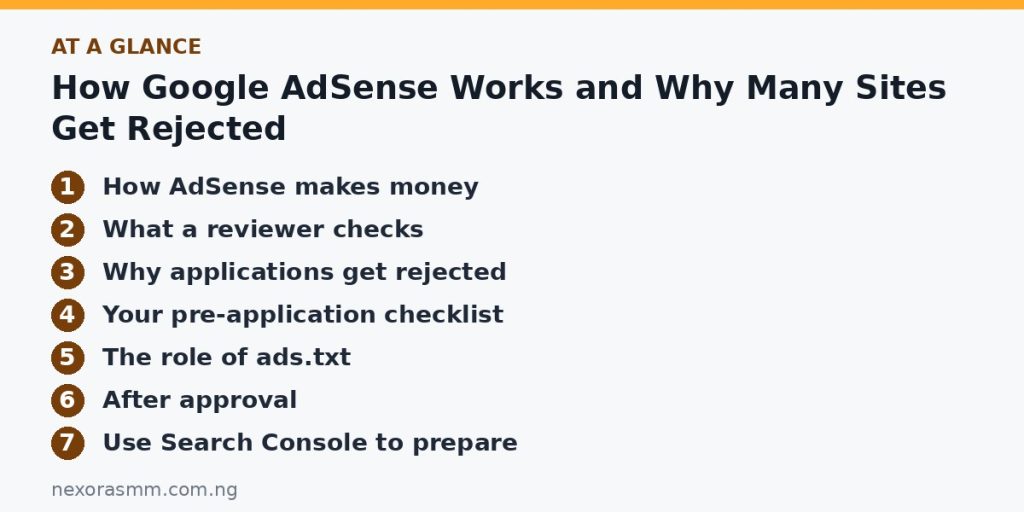
How Google AdSense Works and Why Many Sites Get Rejected

Google AdSense is one of the best-known ways to earn from a website. You publish content, Google shows advertisements next to it, and you earn a share when visitors view or interact with those ads. It sounds simple, yet many site owners are rejected on their first attempt and never learn why. This guide explains how AdSense works, what reviewers look for and how to prepare a site that is ready to apply.
How AdSense makes money
Advertisers bid to show their ads to certain audiences. When an ad appears on your page, you can earn from impressions (people seeing the ad) or clicks, depending on the ad type. The amount varies widely by topic, country of your visitors, season and the competition among advertisers. For that reason, income estimates you read online are not reliable for your own site.
Never click your own ads or ask friends to click them. Invalid activity is detected quickly and can lead to your account being disabled.
What a reviewer checks
AdSense uses automated systems and human reviewers to judge whether your site is suitable to carry advertising. Typical areas include:
- Original, valuable content. Pages should be useful to readers, written for people and not copied from elsewhere.
- Enough content. A site with only a few short posts looks unfinished. Many publishers aim for a solid base of well-developed articles before applying.
- Clear navigation and a working layout. Visitors should easily find categories, an about page and a contact page.
- Policy pages. A privacy policy that explains cookies and advertising is expected, along with transparent information about who runs the site.
- Policy-compliant topics. Content that is adult, violent, deceptive, hateful or that promotes illegal activity is restricted.
- Ownership. You must own the domain and the content.
Why applications get rejected
Google gives reasons in the notification, and the same few appear again and again:
- Low-value or thin content. Short, generic pages or lists that add nothing new.
- Scraped or repeated content. Text copied or lightly rewritten from other sites.
- Site still under construction. Empty categories, placeholder pages and default sample posts like “Hello world!”
- Poor navigation or user experience. Broken links, confusing menus or intrusive pop-ups.
- Missing policy pages. No privacy policy, no contact details, no author information.
- Unfocused topics. A site that jumps between unrelated subjects with no clear purpose.
Your pre-application checklist
- Publish a solid set of original articles in one focused topic, each with real depth and helpful images.
- Delete default and empty content, and remove categories with no posts.
- Write an About page and a real author bio so readers know who is behind the site.
- Add a Contact page with a working form or email address.
- Publish a Privacy Policy that mentions Google advertising, cookies and how visitors can opt out.
- Make sure your site loads quickly and looks good on a mobile phone.
- Check that the site is indexed by searching for site:yourdomain.com on Google.
- Remove banners or links that could conflict with ad policies, such as unrelated affiliate banners.
The role of ads.txt
An ads.txt file is a public text file at the root of your domain that lists companies authorised to sell ads on your site. It helps protect you and advertisers from fraud. AdSense gives you the exact line to add, which usually includes your publisher ID. After your account is connected, make sure the file is reachable at yourdomain.com/ads.txt.
After approval
Place ads where they help readers rather than disrupt them. Follow the placement rules, avoid encouraging clicks and keep publishing useful articles. Watch your reports to see which pages earn and why, and use that knowledge to guide future topics.
Use Search Console to prepare
Google Search Console is a free tool that shows whether your pages are indexed and whether Google found any problems. Add your site, submit your sitemap and inspect a few key articles. If a page is not indexed, the report often explains why, such as a block in your settings or content that Google considers too similar to another page. Fixing these issues before you apply gives reviewers a complete, accessible site to evaluate.
Think like a visitor
Open your homepage on a phone and ask honest questions. Is it clear what the site is about within five seconds? Can you find the privacy policy, contact page and author information? Do pages load quickly? Do pop-ups or large banners cover the text? If a stranger would struggle with any of these, a reviewer probably will too.
Frequently asked questions
How much traffic do I need? AdSense does not publish a fixed traffic requirement for approval, but sites with some real readers and consistent content tend to be easier to review. Focus on quality first.
How long does approval take? It can take from a few days to a few weeks. Avoid making major changes to the site while you wait.
Can I apply again after a rejection? Yes. Read the stated reason, fix the issues properly and wait until the new content has been discovered before you reapply.
Is a free blogging platform acceptable? In many cases yes, but a site on your own domain gives you more control and credibility.
Can I use AI to write the articles? Content must be original and helpful. If you use writing tools, edit carefully, check facts and add your own experience so the result is something readers genuinely value.
Key takeaways
AdSense rewards sites that help people. Build a focused collection of original articles, complete the trust pages, keep the site clean and professional, and make sure it is indexed before you apply. Patience at this stage saves repeated rejections later.
Educational content only — not financial advice. Income and savings results vary and are never guaranteed. How we write
Enjoyed this story?
Get the best stories delivered weekly.