Storyboarding With AI: From Script to Shot List
Storyboarding lets you see a film’s problems before you spend hours generating clips. After reading this guide you will be able to split a script into scenes and shots, write a clear shot list, generate storyboard frames in a consistent style, and convert the board into prompts for your video generator.
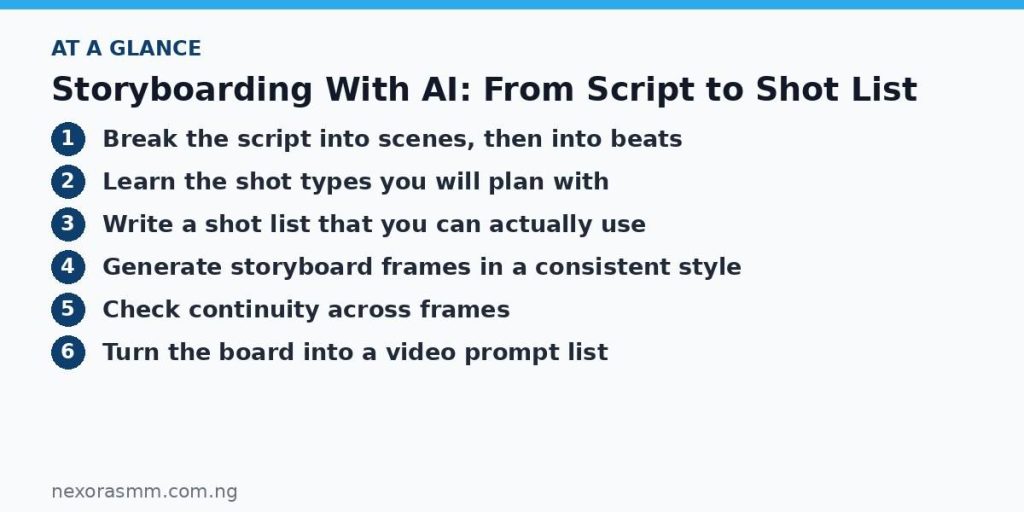
Break the script into scenes, then into beats
Start with your finished or nearly finished script. If you are still writing, the process in how to write a short film script with AI, step by step will get you to a usable draft.
First, divide the script into scenes using its headings. Then divide each scene into beats, which are the small units where something changes: a character arrives, notices something, makes a decision, leaves. A beat usually needs one to three shots. Writing the beats as plain sentences keeps you from planning shots that serve nothing.
For a market scene in Onitsha, the beats might be: the vendor opens her stall, she notices a stranger watching, she hides her takings, the stranger walks away. Four beats, perhaps seven or eight shots. That is a manageable amount of work, and it gives you a rough sense of how many clips you will need overall.
Learn the shot types you will plan with
A shot list uses a shared vocabulary. These are the types you will use most.
- Wide shot: shows the whole place and where people are within it. Use it to establish setting and scale.
- Medium shot: frames a person from about the waist up. It is good for conversation and body language.
- Close-up: fills the frame with a face or object. Use it for emotion and emphasis.
- Over-the-shoulder: frames one character past the shoulder of another, which ties two people together in a dialogue.
- Insert: a detail, such as hands counting coins or a phone screen lighting up, that carries information.
Variety creates rhythm. A scene made only of medium shots feels flat, and one made only of close-ups feels exhausting. A common pattern is to open wide, move closer as tension grows, then use an insert to deliver a key detail. Camera moves can then be added to individual shots, and 10 camera movements to include in AI video prompts explains what each one communicates.
Write a shot list that you can actually use
A shot list is a table with one row per shot. Keep columns simple so you can scan them quickly. Here is a sample for the opening of a short drama set in a Lagos barbershop.
| Shot | Type | Subject and action | Camera | Purpose |
|---|---|---|---|---|
| 1 | Wide | Barbershop exterior at early morning, shutters rising | Static | Establish place and time |
| 2 | Medium | Barber sweeps the floor, radio playing softly | Slow push-in | Introduce main character |
| 3 | Insert | Hands arrange clippers and a framed photo on the counter | Static | Hint at a personal story |
| 4 | Close-up | Barber glances at the door, expression uncertain | Static | Create anticipation |
| 5 | Over-the-shoulder | Young customer enters and stands in the doorway | Slight handheld | Introduce conflict |
| 6 | Wide | Both men face each other across the empty shop | Slow pull-out | Show distance between them |
The Purpose column is the most valuable. If you cannot say why a shot exists, you probably do not need it. Add columns later for approximate duration or dialogue if you want them, but resist making the sheet so detailed that you stop using it.
Generate storyboard frames in a consistent style
Storyboard frames are thinking tools, not final images, so they should be fast to make. Choose one visual style and apply it to every frame. That could be loose pencil sketches, flat colour illustration or simple grey-tone drawings. A consistent style makes it easier to judge composition because you are not distracted by changing looks.
Write a short style line and paste it at the end of every prompt. Reuse the same character description too, covering hair, clothing and any signature prop, so that people look the same from frame to frame. The reasoning is explained in AI prompts for creating consistent movie characters.
Example prompt: Storyboard frame, loose pencil sketch with light grey shading. Medium shot of a middle-aged barber in a white tunic sweeping the floor of a small Lagos barbershop, morning light through the doorway, a radio on a shelf, framed photo on the counter. Wide 16:9 composition, no text.
Example prompt: Storyboard frame, same pencil sketch style. Over-the-shoulder shot from behind the barber, a young man in a yellow shirt stands in the doorway holding a folded envelope, bright street behind him, empty barber chairs in the foreground.
Expect variation. Generate a few options per shot and choose the one with the clearest composition, even if the details are imperfect. Ask for no text inside the frame and add labels yourself in a document or slide.
Check continuity across frames
Lay the frames in order and read them like a comic strip. Ask a few questions of every neighbouring pair. Does the character wear the same clothes? Is the light coming from the same direction? Does the character face the same way when the scene cuts, so that the audience understands where everyone is?
One practical rule is to keep characters on consistent sides of the frame in a conversation. If the barber is on the left in one over-the-shoulder shot, he should generally stay on the left in the matching reverse shot. Another is to keep props consistent, so the framed photo does not move from the counter to the wall without a reason.
When you find a problem, fix the shot list first and regenerate the frame second. The list is the real plan, and the images support it.
Turn the board into a video prompt list
Once the board works, each row of your shot list becomes a video prompt. Combine four things: your fixed character and location descriptions, the shot type and action from the row, the camera move, and your style and lighting line. Keep the action simple, with one clear movement per clip, because short clips tend to hold together better than complicated ones.
Example prompt: Medium shot, a middle-aged barber in a white tunic sweeps the floor of a small Lagos barbershop, soft morning light from the open door, radio on a shelf, slow push-in, warm natural colours, realistic cinematic look.
Use the storyboard frame as an image reference if your generator supports it, though results vary. Number each prompt to match its shot, record which attempt you chose and keep the file names aligned with the list. If clips later show flicker or warping, the fixes in fixing common AI video problems will help you decide whether to regenerate or edit around the flaw.
Key takeaways
- Split the script into scenes and beats, then plan one to three shots per beat.
- Write a shot list with a purpose for every row, and vary shot types to create rhythm.
- Use one style line and one character description across all storyboard frames.
- Check continuity on the board, then convert each row into a numbered video prompt.
Educational content only — not financial advice. Income and savings results vary and are never guaranteed. How we write
Enjoyed this story?
Get the best stories delivered weekly.