7 Free AI Tools Nigerians Can Use to Make Money in 2026
Last checked: 11 October 2026. Free plans and usage limits change often and different review sites report different numbers, so treat the limits below as a guide and confirm them inside each tool before you promise a client anything.
Search for ways to earn with AI and you will find loud promises of easy money. The honest version is simpler. An AI tool does not earn anything by itself. What earns money is a service a client needs, such as a polished CV, a flyer for a shop, a short video for a business page or a clear summary of a long report. The tools below are free to start, and each one can help you deliver one of those services faster. This guide explains what each tool does, which service it suits and what the free plan does not give you.
How to read the word “free”
Almost every tool here has a free plan with limits, such as a monthly allowance of AI uses, a cap on export quality or a watermark on certain templates. Reviews of the same tool often disagree on the exact numbers because the companies change them. Canva is a good example: published reviews in 2026 give free AI allowances ranging from about 20 uses to 50 uses per month. Before you build a business around a free limit, check the current figure in the tool’s own help pages.
1. ChatGPT: drafts, rewrites and research notes
ChatGPT has a free tier that covers writing, summarising and answering questions, with limits on usage that vary over time. Services you can offer: writing and editing business descriptions, product listings, social media captions, CV text and cover letters. The catch: it can state wrong facts confidently, so you must check names, dates and numbers before delivering anything.
2. Claude: longer documents and careful editing
Claude also has a free plan. One 2026 review of free AI tools rates it highly for following detailed, multi-step instructions, which suits tasks like editing a long document to a style guide. Services: proofreading, tidying up reports and turning rough notes into clean documents. The catch: free usage limits can run out during busy periods.
3. Gemini: research tied to Google tools
Gemini’s free tier works well if you already live in Google’s apps such as Docs, Gmail and Drive. Services: research summaries, comparison notes and first drafts that you then format in Google Docs. The catch: as with the others, verify its facts against real sources.
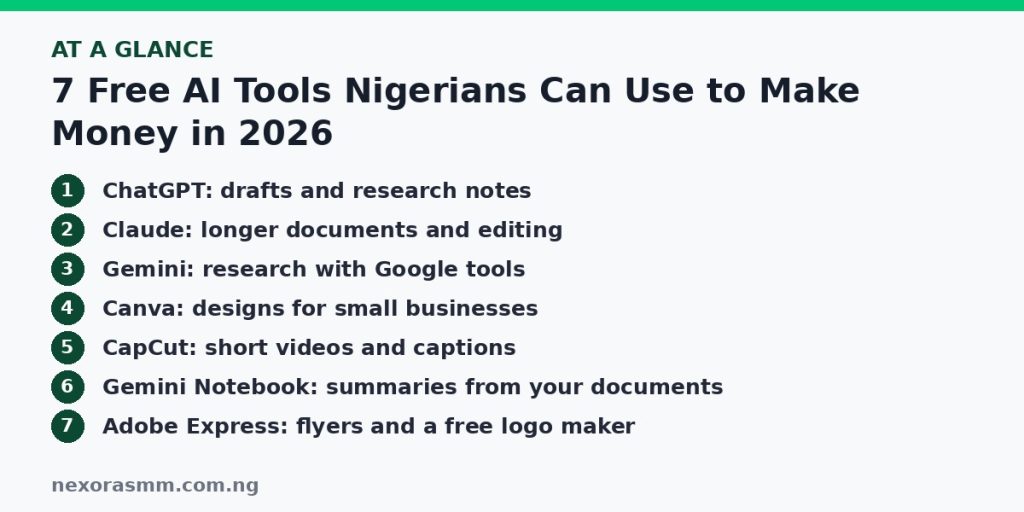
4. Canva: designs for small businesses
Canva’s free plan includes a very large template library, which is the main reason it is popular for flyers, social media posts and simple logos. It also includes a limited monthly amount of AI features. Services: weekly social media designs for a local shop, event flyers, price lists and CV layouts. The catch: some premium templates and several AI tools need a paid plan, and some sources report that transparent-background PNG export is a paid feature, so check before you promise a client a transparent logo.
5. CapCut: short videos and captions
CapCut’s free plan covers cutting, transitions, templates and automatic captions, with exports up to 1080p according to several 2026 reviews. Services: editing short promotional videos, adding captions for businesses that post on Reels, TikTok and Shorts, and cleaning up recorded interviews. The catch: sources disagree on watermarks and AI limits. Reviews agree that templates and effects marked Pro can add a watermark to free exports, so use only free-tagged assets for client work.
6. Gemini Notebook (formerly NotebookLM): summaries from your own documents
Several 2026 reports say Google renamed NotebookLM to Gemini Notebook in July 2026. It answers questions based only on the sources you upload. Reported free-plan limits are 100 notebooks, 50 sources per notebook, 50 chats a day and a small daily number of audio overviews. Services: study guides, meeting summaries and briefing notes, as long as you have permission to use the documents. The catch: never upload a client’s confidential files without their consent.
7. Adobe Express: flyers, posts and a free logo maker
Adobe Express has a free plan with templates and a logo maker, according to reviews of logo tools. A 2026 test of free logo makers reported that the free plan exports PNG files and may add a small watermark to some elements, and the Premium plan is reported at $9.99 a month. Services: flyers, social posts and simple brand sets. The catch: check what your export contains before delivering it.
How to turn a tool into an actual income
- Choose one service, not seven. For example, “social media posts for restaurants” or “CVs for fresh graduates”.
- Make three samples. Use a fictional or your own business so you do not misuse a real client’s name.
- Offer it to five people you can reach. Local shops, churches, event planners and schools are often easier to reach than strangers online.
- Price for your time, not for the tool. The tool is free, but your editing, checking and communication are what the client pays for.
- Collect feedback and a testimonial. Use it to approach the next client.
- Plan how you will get paid. Our article on choosing a way to get paid from abroad explains how to compare payment options if you work with overseas clients.
Rules that keep you out of trouble
- Do not promise guaranteed earnings. Treat “AI earning apps” that ask you to deposit money first as a red flag, and see our guide on checking whether an investment platform is registered.
- Read each tool’s terms for commercial use. Some plans limit what you can do with generated images.
- Be honest with clients about using AI where they ask, and always review the work yourself.
- Do not paste private client details into any tool you have not checked for privacy settings.
What we could not confirm
- The exact current free limits for every tool. Reviews disagree, and I did not open each company’s own pricing page.
- Whether any tool restricts its free plan in Nigeria. Availability of some features and templates can differ by region.
- Typical earnings. I did not find reliable income data for Nigerian freelancers using these tools, so I give none.
Frequently asked questions
Can I make money with free tools only? Yes, for many services, but you may eventually need a paid plan for higher limits or cleaner exports.
Which tool should I start with? Pick the one that matches the service you can already deliver. A writer starts with an assistant, a designer with Canva, an editor with CapCut.
Is AI-made work allowed for clients? It depends on the client and the platform. Read the rules, disclose when required and check quality yourself.
Key takeaways
Free AI tools lower the cost of starting, but income comes from a service people need, delivered carefully. Pick one service, test its free limits, make a few samples and approach real clients. Verify every fact, respect each tool’s terms and avoid any scheme that asks for money before you can earn.
Sources checked
- Fast.io, “Best Free AI Tools in 2026: What’s Actually Free and Worth Using”
- Krea, “Is Canva Free? What the Free Plan and Canva AI Include in 2026”
- VidPros, “CapCut Pro vs Free in 2026: Features, AI Tools, and Pricing Compared”
- Morphic, “Is CapCut Free?” (September 2026)
- AI Weekly, “How to Use Gemini Notebook (formerly NotebookLM): 2026 Guide”
- Fast.io, “NotebookLM Limits: Sources, File Sizes, and Words (2026 Guide)”
- Krea, “How to Create a Logo in 2026: The Best AI Logo Generators Compared”
- SoftPicker, “8 Best Free Logo Makers in 2026”
Educational content only — not financial advice. Income and savings results vary and are never guaranteed. How we write
Enjoyed this story?
Get the best stories delivered weekly.