Copyright, Credit and Disclosure for AI Films
Making an AI film is the easy part; publishing it with confidence takes a little more care. After reading this, you will be able to avoid common copyright traps, credit people and tools properly, disclose AI use to audiences, and keep records that protect you later. This is general guidance, not legal advice, and laws differ from country to country, so check the rules where you live and where you publish.
What this guide can and cannot tell you
Copyright and AI is an area where rules are still being discussed and applied differently around the world. Nigeria, Ghana, Kenya, South Africa and other countries each have their own laws, and platforms add their own policies on top. Nobody can promise you a single answer that works everywhere.
What you can do is follow habits that lower your risk wherever you are: create original work, respect other people’s work, get permission when real people are involved, read the terms of the tools you use, and be honest with your audience. If a project has real money or a client attached, speak to a qualified lawyer in your country.
Prompting without borrowing from others
The simplest way to avoid trouble is to not ask for someone else’s work. Avoid prompts that name living artists, directors or photographers to copy their style, and avoid asking for famous copyrighted characters, logos or brand marks. Even if a tool produces something, it does not mean you are free to publish it.
Describe the qualities you want instead. Rather than naming an artist, say what you see: the palette, the lighting, the lens, the texture. This also makes you a better filmmaker, because you have to understand your own look. Our guide on the complete AI prompt formula for filmmakers shows how to build a distinctive style from plain descriptions.
Example prompt: A quiet street in Accra at blue hour, a young man in a plain white shirt waits beside a parked motorbike, warm shop lights spilling onto wet pavement, muted teal shadows and amber highlights, 35mm lens look, slow push-in.
Notice that the prompt describes light, colour and lens rather than pointing to an existing film or artist. The same logic applies to posters and thumbnails: do not copy existing artwork or logos.
Music, footage and third-party assets
Music is where many creators run into problems. Using a popular song in your film, even for a short clip, can lead to takedowns or blocked videos. Use music you made, music you commissioned in writing, or music whose licence clearly covers your use.
- Check whether the licence allows commercial use, monetised platforms and film festival submission.
- Check whether credit is required and how it must be worded.
- Keep a copy of the licence or receipt alongside the project files.
- Apply the same checks to sound effects, fonts, stock footage and image references.
If you generate music with an AI tool, the same rule applies: read its terms to see what you may do with the output. Our article on AI voiceover and sound design covers voice rights in more detail.
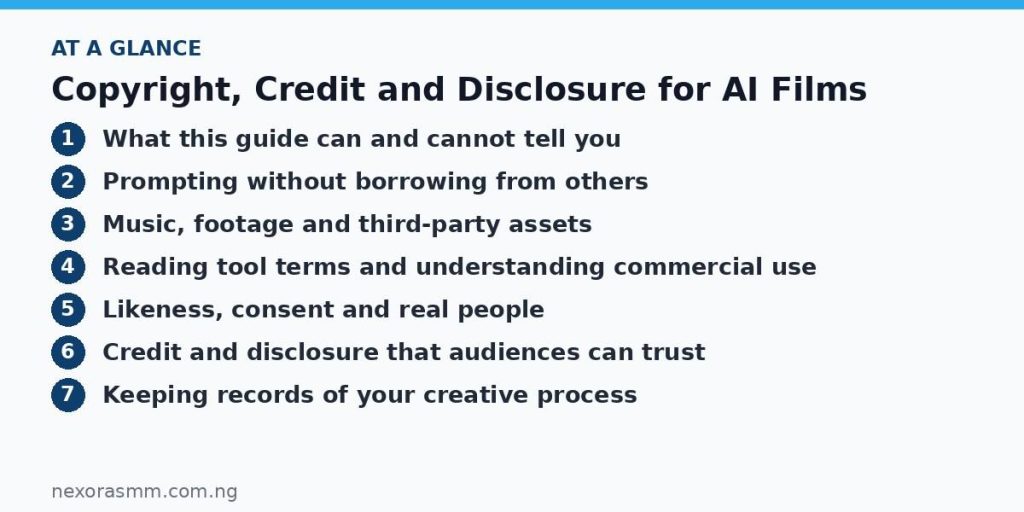
Reading tool terms and understanding commercial use
Every AI generator has its own terms of service, and they are not identical. Before you publish or sell anything, find the sections that cover ownership of outputs, commercial use, restrictions on content and what happens if you stop paying. Terms can change, so note the date you read them.
Questions worth asking of any tool:
- May I use the outputs commercially, and are there conditions?
- Do free and paid plans differ in what I can do?
- Are there content types the tool forbids?
- Do I need to credit the tool?
- What does the tool say about rights in my uploaded reference material?
Also be aware that in some places, work created mainly by an automated system may receive limited or no copyright protection, while work with significant human creative input may be treated differently. This is a changing area, so your own writing, editing, shot selection and sound design are valuable and worth documenting.
Likeness, consent and real people
Never use a real person’s face or voice in a film without their permission. That includes friends, relatives, celebrities, politicians and neighbours. If you use your own photograph as a reference, you are the rights holder for that decision; if you use anyone else’s, get written consent that says how the image will be used and where it will be published.
Avoid creating content that could make a real person appear to say or do something they did not. Fiction with invented characters is the safest path. If your story is based on real events, change identifying details or get involvement from the people concerned, and take extra care with communities and cultures. Our guide on representing African stories authentically with AI explains how to consult the people your story is about.
Credit and disclosure that audiences can trust
Credit everyone who contributed: writers, voice actors, musicians, editors, consultants, translators and anyone who gave you their time. A good credit roll is a sign of professionalism and builds relationships that help your next project.
Disclose your use of AI plainly. A short line in the description or end card is enough, for example: “Visuals generated with AI video tools. Script, edit and sound design by [your name].” Many platforms now ask creators to label realistic synthetic media, so check the current upload settings and policies on each site. Honest disclosure rarely hurts a film, and hiding AI use can damage trust if it is discovered later.
Describe your role accurately. If an AI tool generated the footage, do not claim you shot it on location. If you wrote the script with an assistant, say so or describe it as assisted, depending on how much was your own work.
Keeping records of your creative process
Good records protect you if anyone questions your work. For each project, save a folder that includes:
- Your prompts and the settings used for the final shots.
- The name of each tool and the date you generated each clip.
- Screenshots or copies of the relevant terms when you used them.
- Licences, receipts and written permissions for music, voices and people.
- Drafts of your script, shot list and edits, which show your human input.
It takes a few minutes per project and can save weeks of trouble later.
Key takeaways
- Laws vary by country and this guide is not legal advice, so check local rules and consult a lawyer for important projects.
- Describe the look you want instead of naming living artists, copyrighted characters or brand marks.
- Use music and assets you own or have licensed, and read each tool’s terms for commercial use.
- Get consent before using any real person’s face or voice.
- Credit collaborators, disclose AI use clearly, and keep prompts, licences and drafts on file.
Educational content only — not financial advice. Income and savings results vary and are never guaranteed. How we write
Enjoyed this story?
Get the best stories delivered weekly.