How to Create a Professional CV With AI for Free
Last checked: 11 October 2026. Free-plan rules on CV builders change often, and several review sites report different limits. Check each builder’s own pricing page before you start, and always follow the format and instructions in the job advert.
A CV is often the first thing a recruiter sees, and many people lose hours on it or pay for a service that could be done free. AI can help with the hardest part, which is wording your experience clearly. The layout, the facts and the final checking still need you. This guide shows a free workflow, explains why “free CV builder” sometimes means “free to build, paid to download” and lists the mistakes that most often make an AI-written CV look weak.
Step 1: Collect your real information first
Before opening any AI tool, write down the facts in a plain document: your full name and contact details, the jobs or projects you have done with dates, your education, your skills and any results you can prove, such as “handled about 40 customers a day” or “raised monthly sales for the shop”. The AI can only polish what you give it. If you ask it to “write my CV” with no facts, it will invent details, and invented details are the quickest way to lose an interview.
Step 2: Ask AI to improve your wording, not your history
Free assistants such as ChatGPT, Claude and Gemini can all rewrite bullet points. A prompt that works well keeps the AI inside your facts. For example:
Here are my work notes for a customer service role. Rewrite them as five short CV bullet points that start with a strong verb. Do not add any facts, numbers or tools that I did not give you. Keep each point under 20 words.
Then do the same for a short professional summary, two or three lines long, and for your skills list. Paste the target job advert into the chat and ask which keywords from the advert truthfully match your experience, so you can use the same terms where they are accurate.
Step 3: Choose a free way to lay it out
You have two safe options that avoid download surprises:
- Google Docs. A Google account is free and the template gallery has a resume section. You can download the finished file as a PDF from the File menu, according to a 2026 comparison of free CV tools.
- Canva. Canva’s resume page says you can pick a free template, edit it and download it as PDF or Word. The trap is that some templates are marked as premium, and those can carry a watermark or block the download on a free account. Check the price filter before you choose a design.
Pasting your AI-edited text into one of these is often the cheapest and most reliable route.
Beware of “free to build, paid to download”
Many CV websites let you spend half an hour building a CV and only then reveal that the PDF needs a paid plan. Reviews in 2026 report these patterns:
- Resume.io and Zety: described as free to build but limited on downloads. Resume.io’s pricing page, as quoted by one review, gives free users a text-only download.
- Novoresume: one free PDF, limited to one page and its basic templates, and no automatic subscription according to its own wording.
- Kickresume: free AI writing but some reviews say premium templates are locked and free PDFs may carry a small logo.
- Teal: its page says free users can download unlimited PDFs, while the AI writer and some templates are premium.
- Rezi: its pricing page lists one resume and three PDF downloads on the free plan.
These details change, so open the pricing page first and look for the word “download”.
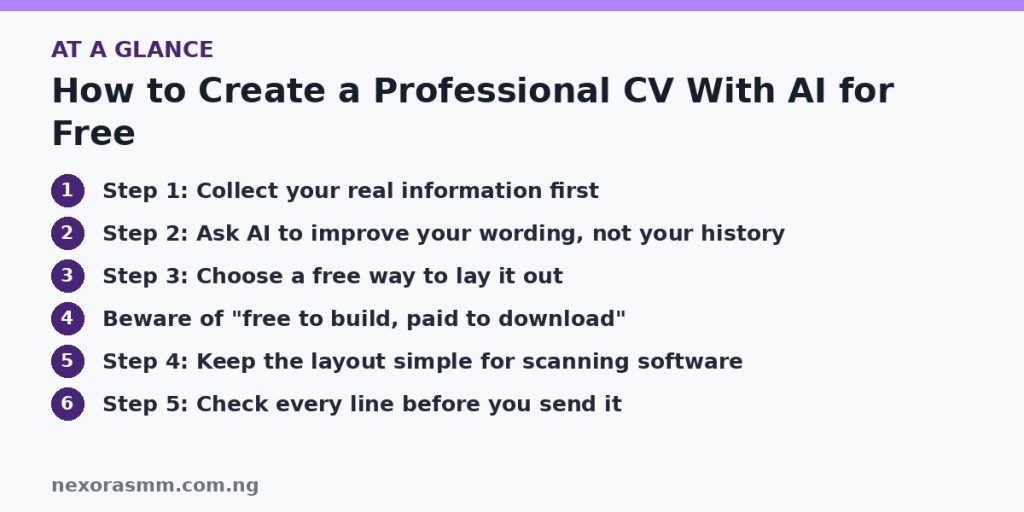
Step 4: Keep the layout simple for scanning software
Many employers use applicant tracking systems (ATS), which read a CV as plain text. Advice in free CV guides is to use a clean single-column layout with standard headings such as Experience and Education, and to avoid putting key information inside images or text boxes. A simple Google Docs design often passes this test better than a decorative template.
Step 5: Check every line before you send it
- Read the whole CV aloud and fix anything that sounds unnatural or exaggerated.
- Confirm that every date, job title, school and number is true and matches your documents.
- Remove vague phrases the AI likes, such as “results-driven professional”, unless you can back them up.
- Keep it to the length the job needs. Many entry-level CVs fit on one page, and many employers state a limit in the advert.
- Check spelling of your own name, email and phone number, and use an email address that looks professional.
- Save the file with a clear name such as Firstname-Lastname-CV.pdf.
Protect your personal data
Do not paste your ID numbers, passport details, bank details or home address into an AI tool or an unknown CV site. A CV needs only your name, phone number, email and general location. Be careful with websites that ask for a payment card to start a “free trial”, because some convert to a recurring subscription.
What we could not confirm
- Current free-plan limits for each builder. Review sites disagree, and I relied on their reports of the builders’ pricing pages.
- Whether employers in a particular sector in Nigeria prefer PDF or Word, a photo or no photo. Follow each advert.
- How any specific applicant tracking system will read your file. Simple layouts are safer, but no guide can guarantee a result.
Frequently asked questions
Can AI write my whole CV? It can draft wording, but you must supply true information and check the result.
Is a CV the same as a resume? In practice, many sites use the words interchangeably. Follow the term and format used in the job advert.
Do I need a cover letter? Often it helps. You can use the same method: give the AI the job advert and your real experience, then edit the draft in your own voice.
Key takeaways
Write down your true facts, ask a free AI assistant to improve the wording without adding anything, then lay out the CV in Google Docs or Canva so you are not caught by a download paywall. Keep the layout simple, protect your personal data and check every line before you send it.
Sources checked
- Krea, “Best Free Resume Builders and CV Makers in 2026: Which Ones Let You Download the PDF”
- Lilach Bullock, “Where to Make AI Resumes for Free in 2026”
- Lilach Bullock, “How to Create a Free Resume Online With a Template Maker”
- Enhancv, “Novorésumé Review: Is It the Best Free Resume Builder?”
- SoftPicker, “How to Create a Resume Online Free in 2026 (7 Tools Tested)”
Educational content only — not financial advice. Income and savings results vary and are never guaranteed. How we write
Enjoyed this story?
Get the best stories delivered weekly.