How to Use AI to Earn More as a Freelancer (Without Cutting Corners)
AI assistants can draft text, summarise documents, suggest ideas and clean up messy data in seconds. For a freelancer, that can mean finishing routine work faster and taking on more clients. It can also mean sloppy work and unhappy customers if you rely on the tool without checking it. This guide explains where AI genuinely helps a freelancer earn, and where human judgment still decides the quality of the result.
What AI is good at
AI tools are strongest at tasks where a rough first version saves time and a person can review the result:
- Brainstorming topic ideas, headlines and outlines
- Summarising long documents or meeting notes
- Rewriting text in a different tone or length
- Drafting routine emails and replies
- Organising data into tables and spotting simple patterns
- Explaining unfamiliar concepts so you can research faster
What AI is bad at
These tools can state wrong facts with great confidence, invent sources and miss context that a human would catch immediately. They do not know your client, your local market or what happened last week unless you tell them. For that reason, anything involving facts, numbers, law, health or money must be checked against reliable sources before it reaches a client.
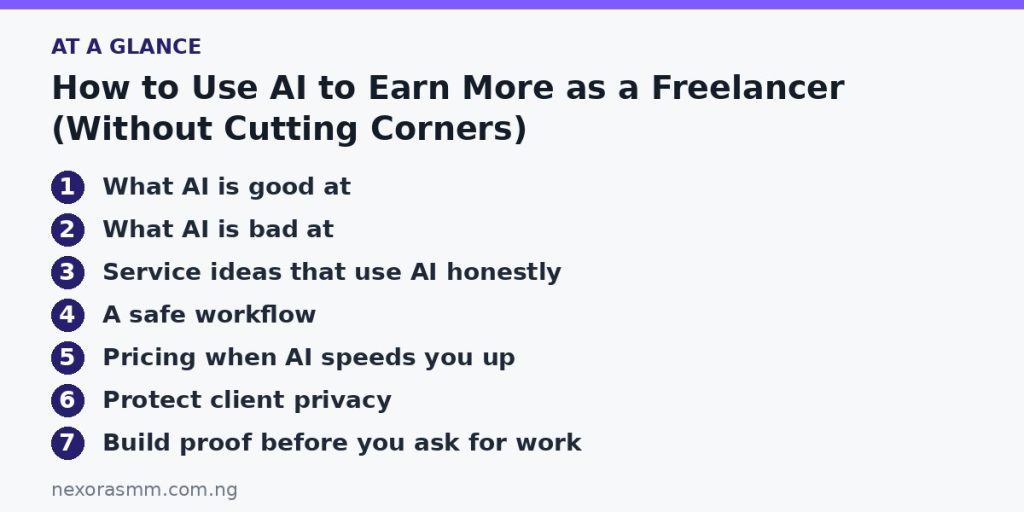
Service ideas that use AI honestly
Editing and polishing
Offer to turn rough notes or weak drafts into clear, readable text. You use AI for a first pass, then apply your own judgment to improve structure, check facts and match the client’s voice.
Research summaries
Businesses often need a short briefing on a topic, a competitor or a market. Use AI to speed up the reading, but confirm every claim from the original source and list your references.
Content repurposing
Turn one long article into a newsletter, several social posts and a short script. The ideas come from the client’s real expertise; AI speeds up the formatting.
Customer-support templates
Create a library of clear reply templates for common questions. Test them against real customer messages and adjust the tone to the brand.
Spreadsheet and admin help
Many small businesses struggle with formulas, data cleaning and report formatting. AI can suggest a formula, but you must test it on real data before you hand it over.
A safe workflow
- Understand the brief. Write down the client’s goal, audience and tone before you open any tool.
- Prompt with context. Give the tool the purpose, the audience, the length and any facts you have confirmed.
- Treat the output as a draft. Read it critically, remove filler and rewrite anything that sounds generic.
- Verify facts. Check names, dates, figures and claims against trustworthy sources.
- Add your own value. Include examples, local knowledge or experience that a tool cannot invent.
- Disclose where required. Follow any rules the client sets, and never claim work as entirely your own if the contract says otherwise.
Pricing when AI speeds you up
If a task now takes half the time, should you halve your price? Not necessarily. Clients pay for the outcome and your responsibility for the result, not for hours. Consider pricing by project, and use the time you save to take on more work, improve quality or build a second income stream.
Protect client privacy
Do not paste confidential contracts, customer lists or private financial information into a public AI tool unless the client has agreed and the tool’s data policy allows it. Remove names and sensitive details when you can, and read the terms of any tool you use for client work.
Build proof before you ask for work
Clients want evidence, so create a small portfolio. Take a real problem, such as a messy product page or an unclear customer email, and show the “before” and “after.” Explain what you changed and why, including how you checked facts. A short case study that shows your thinking is more persuasive than any list of tools you can use.
Frequently asked questions
Will AI replace freelancers? Some routine tasks will be automated, but clients still need people who understand their business, check accuracy and take responsibility. Freelancers who combine skills with good use of tools are in a stronger position than those who ignore them.
Do I need to pay for AI tools? You can start with free versions to learn how they work. Paid plans make sense once you use them every day and can cover the cost from client income.
Is it dishonest to use AI? It is not dishonest if you follow your agreement and stand behind the final work. It is dishonest to hide tool use when the client has asked you not to use it, or to pass off unchecked output as expert work.
Where do I find clients? Use the same routes as any freelancer: people you know, local businesses, communities and marketplaces. A clear service description and two or three strong samples matter more than saying “I use AI.”
How do I learn faster? Pick one real task each week, such as summarising a report or drafting a newsletter, and compare your AI-assisted process with your manual one. Keep notes on which prompts work well.
Key takeaways
AI can make freelance work faster, but the value you sell is judgment, accuracy and care. Choose services where you add real expertise, verify everything, protect client data and price by results rather than minutes. Used this way, AI is a tool that supports your income instead of a shortcut that damages your reputation.
Educational content only — not financial advice. Income and savings results vary and are never guaranteed. How we write
Enjoyed this story?
Get the best stories delivered weekly.