How to Use AI to Create Videos: A Step-by-Step Workflow

Making videos used to require a camera, editing skills and many hours of work. AI tools now help with scripts, voice-overs, captions, editing and even generating short clips from text. These tools can speed up production a great deal, but they do not replace a good idea or a clear message. This guide shows a practical workflow for creating videos with AI, plus the rules you need to follow so your channel stays safe and trusted.
Step 1: Choose a topic and a viewer
Before opening any tool, decide who the video is for and what they will learn or feel. A video called “3 ways to save money on data” for students has a clearer purpose than “tips about money.” Search for questions people ask, look at the comments on similar videos and note what viewers wish had been explained better.
Step 2: Draft the script
A chat assistant can help you outline the video: a hook in the first few seconds, the main points and a closing call to action. Provide your own facts and experience and ask for a first draft, then rewrite it in your voice. Read it aloud. If it sounds stiff or like a textbook, simplify. Keep sentences short and speak directly to the viewer.
Step 3: Choose how the video will look
- Screen recording or slides: ideal for tutorials and explainers.
- Your own footage: phone clips of real places, objects or processes, which feel more authentic.
- Stock or licensed clips: use only material you have the right to use.
- AI-generated clips or images: useful for illustrations, but check quality, accuracy and the tool’s licence terms.
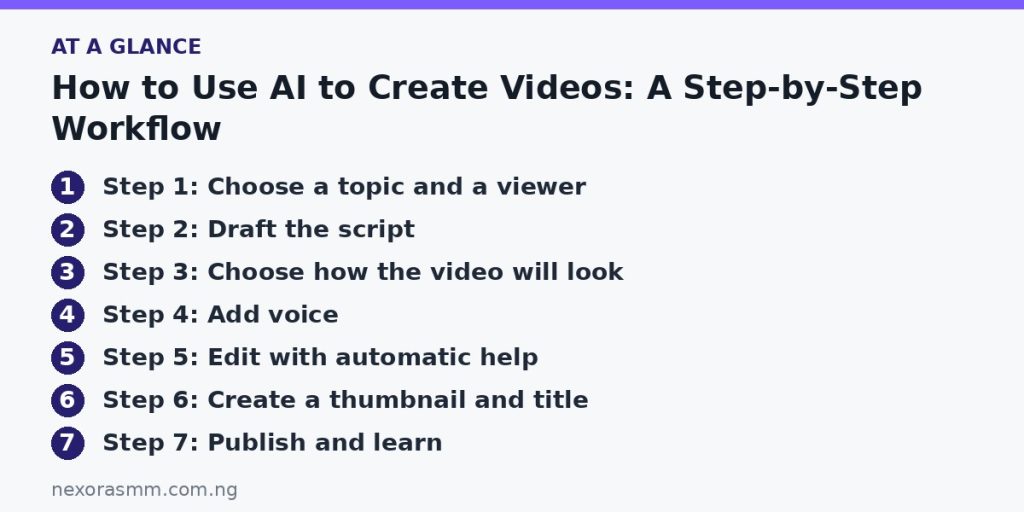
Step 4: Add voice
You can record your own voice with a phone in a quiet room, which is usually the most trusted option. Some tools create synthetic voice-overs from text; if you use them, listen to the whole result for odd pronunciation and avoid imitating a real person’s voice without permission. Add background music only if you have a licence to use it.
Step 5: Edit with automatic help
Modern editors can remove silences, add captions, trim clips and resize one video for different platforms. Review the automatic captions carefully, because they often misspell names and technical words. Keep the pace brisk: cut repeated sentences and long pauses, and show a visual change every few seconds to hold attention.
Step 6: Create a thumbnail and title
The title and thumbnail decide whether anyone clicks. Make the title specific and honest, and design a thumbnail with large, readable text and one clear image. Avoid misleading promises; viewers who feel tricked leave quickly and may report the video.
Step 7: Publish and learn
Write a helpful description, add relevant tags and upload captions. After a few days, check the analytics: where do viewers stop watching, which videos get the most views and which comments ask for more? Use that data to plan your next video.
Rules and safety
- Disclose where required. Platforms may ask you to label realistic synthetic content. Read the current policies.
- Do not deceive. Never create fake videos of real people or invent news.
- Respect copyright. Use only music, clips and images you created or have permission to use.
- Protect privacy. Do not film or share other people’s personal information without consent.
- Check facts. A polished video that spreads wrong information damages your reputation.
Can you earn from AI-assisted videos?
Possible income comes from platform advertising programs, sponsorships, selling your own products and offering video services to businesses. Platforms set their own requirements for monetization, and they change, so check the current rules in your creator dashboard. Channels filled with repetitive, low-effort content are less likely to qualify or last. Original viewpoint, useful information and consistency matter most.
A simple example workflow
Imagine a three-minute video called “Five ways to save on mobile data.” You write down five tips from your own experience and ask an assistant to tidy them into a short script with a hook and a closing line. You rewrite the script so it sounds like you, then record the voice with your phone. In an editor, you add screenshots of your phone’s data settings, let the software create captions and remove long pauses. You review every caption, add a clear thumbnail and publish. From idea to upload, this might take a few hours at first and less as you build a template you can reuse.
Keep a quality checklist
Before uploading, ask: Is the first ten seconds interesting? Is the audio clear? Are all facts correct? Are all clips, images and music allowed to be used? Does the title match what the video delivers? A short checklist prevents the mistakes that cost creators views and trust.
Frequently asked questions
Do I need to show my face? No. Many successful channels use screen recordings, slides or voice-over with footage.
How long does it take to make one video? Beginners often need several hours; with practice and a repeatable process, it gets faster.
Do I need expensive equipment? A phone, a quiet space and a simple microphone are enough to start.
Is AI video allowed on every platform? Policies differ and change, so read the current terms of each platform you use.
Key takeaways
Start with a clear viewer and topic, draft and rewrite your script, choose visuals you have the right to use, edit carefully and publish honestly. AI tools reduce the time it takes; your ideas and trustworthiness decide whether people keep watching.
Educational content only — not financial advice. Income and savings results vary and are never guaranteed. How we write
Enjoyed this story?
Get the best stories delivered weekly.