How to Protect Your WhatsApp Account From Scammers
Last checked: 10 October 2026. Scam methods change quickly. This article is based on security-company research, news reports and WhatsApp feature coverage, and describes how the attacks were reported to work.
The most dangerous WhatsApp scams today do not break WhatsApp’s encryption or guess your password. They persuade you to approve access yourself. In December 2025, researchers at the security firm Avast described a takeover campaign named GhostPairing, and national cyber agencies including India’s CERT-In reportedly warned about it. Understanding exactly how it works is the best protection, because it shows the pattern behind many other scams. This guide explains GhostPairing, the classic code-theft scams and a short routine that makes your account much harder to take.
How GhostPairing works
According to reports on the research, the attack starts with a message that appears to come from someone you know. It carries a link that claims to show your photo, a video or a document, often on a page imitating Facebook. The page asks for your phone number. Behind the scenes, the scammer uses WhatsApp’s real device-linking feature, which generates a real pairing code. The fake page then displays that code and tells you to enter it in WhatsApp to continue. If you do, the attacker’s browser becomes a linked device on your account.
No password was stolen and no encryption was broken. The victim approved the link. Once linked, the attacker can read messages, see media and send messages that look like they came from you, and many victims do not notice because nothing on the phone announces it.
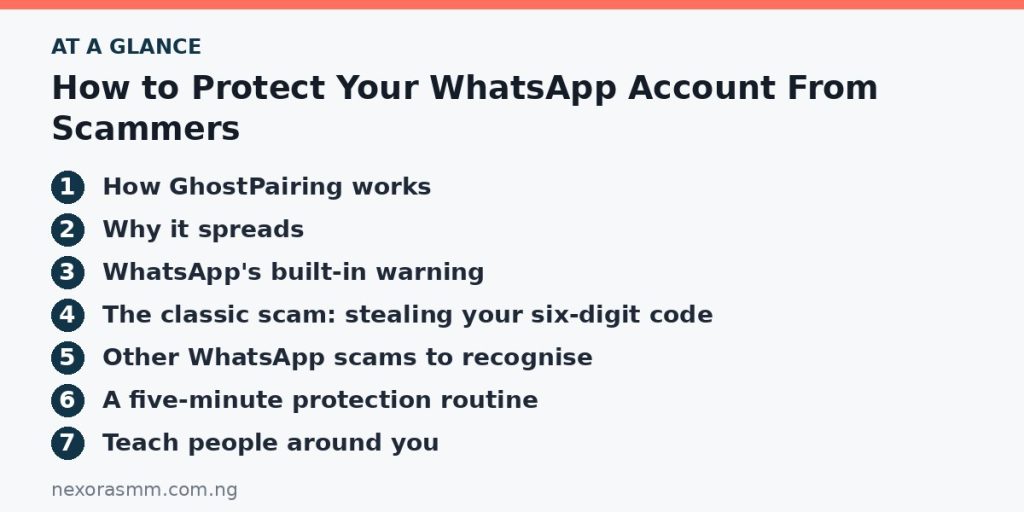
Why it spreads
The first message comes from a friend whose account was already taken, so it feels trustworthy. Each new victim sends the same lure to their contacts. Security experts quoted in the coverage note that scammers are shifting from breaking systems to abusing approval screens people see every day, such as QR codes and pairing prompts.
WhatsApp’s built-in warning
WABetaInfo reported that WhatsApp added a scam warning to the device-linking process on Android and iOS, which appears before a new device is linked. This helps, but the same coverage stresses it cannot remove the risk completely, because scammers keep changing their approach. Treat the warning as a last chance to stop, not as a guarantee.
The classic scam: stealing your six-digit code
Another long-running trick starts when a stranger, or a hijacked contact, asks you to send them a code that “arrived by mistake”. That code is your WhatsApp registration code. If you give it away, the scammer can register your number on their phone. Never share a six-digit code with anyone, whatever the reason.
Other WhatsApp scams to recognise
- The urgent-help message: a “friend” or relative says they are stuck and need money fast, often from a new number. Call the real person before sending anything.
- Fake payment confirmations: if you sell goods, a buyer sends a screenshot of a transfer. Check your own bank app.
- Job and investment offers: messages promising easy income for tasks or deposits, usually followed by requests for fees.
- Group invites from strangers: groups that push links and “limited” offers.
A five-minute protection routine
- Turn on two-step verification. Open Settings, Account, Two-step verification, set a PIN you will remember and add a recovery email you control.
- Check Linked devices now. Remove anything unfamiliar. Make it a weekly habit, because that list is the most reliable way to spot a silent takeover.
- Never enter a code or scan a QR code because a message or website told you to. Only link a device when you started the process yourself on a computer or tablet.
- Tighten privacy settings. Limit who can see your profile photo, About text and last seen to your contacts.
- Protect the email and SIM behind the account. Use a strong password and two-step sign-in on your email, and ask your network provider about extra SIM protection.
- Verify through a second channel. If a contact sends an unexpected link or request, phone them or ask a question only they could answer.
Teach people around you
Reports on GhostPairing emphasise that these scams spread because few people have heard of them. A short warning in your family or office group can protect many accounts. Explain that a real friend will never need your WhatsApp code or pairing code.
If you already entered a code
Open Settings, then Linked devices, and log out of unknown devices immediately. Then change your two-step verification PIN, secure your email and warn your contacts. If money was requested in your name, advise them to ignore it.
What we could not confirm
- Exactly how many people were affected by GhostPairing, since reports do not give a reliable global count.
- Whether the in-app linking warning is available on every version of WhatsApp in your country.
- New variants that may appear after this article’s date.
Frequently asked questions
Can I see if someone is reading my chats? Not from the chats themselves. Check Settings, Linked devices.
Is two-step verification enough? It helps against registration-code theft, but a pairing scam works by tricking you into authorising a device, so you still need the habits above.
Is WhatsApp encryption broken? No. Reports stress that these scams work by deceiving users, not by breaking encryption.
Key takeaways
Modern WhatsApp scams ask you to approve access. Never share a six-digit code, never enter a pairing code or scan a QR code at a stranger’s request and check Linked devices every week. Add two-step verification and warn the people around you.
Sources checked
- Cyber Daily, report on Avast’s GhostPairing research
- TechRadar, “WhatsApp user warning: hackers are hijacking accounts without any need to crack the authentication”
- Security Boulevard (Avast blog), “The WhatsApp takeover scam that doesn’t need your password”
- Moneylife, “Fraud Alert: WhatsApp GhostPairing Scam Spreading through Trusted Contacts”
- WABetaInfo, “WhatsApp protects users from a common device linking scam”
Educational content only — not financial advice. Income and savings results vary and are never guaranteed. How we write
Enjoyed this story?
Get the best stories delivered weekly.