How to Fix Common Google Search Console Indexing Problems
Last checked: 10 October 2026. Search Console menus and wording change occasionally, and Google does not promise to index every page. This guide explains the report’s statuses in plain language and the fixes that experienced site owners and Google staff describe.
You publish an article, check Google a week later and find nothing. Then you open Google Search Console and see a list of strange labels such as “Discovered, currently not indexed”. It is easy to panic, but most of these labels are information, not punishment. This guide shows where to look, what the most common statuses mean, which ones need action and how to improve pages that Google has seen but chosen not to index. It is especially useful if you are waiting for new articles to appear before you apply for AdSense.
Where to find the report
Open Search Console, choose your site, then go to Indexing and Pages. This is the page indexing report, which older tutorials call the Coverage report. Scroll to the table titled “Why pages aren’t indexed” and click a row to see the affected addresses. For one page, paste the address into the inspection bar at the top. The report can lag behind reality, so a page shown as not indexed may already be in Google, and the inspection tool shows the live picture.
Not indexed is often normal
Google’s John Mueller has said that it is normal for Google not to index every page on a site, according to a summary on an SEO blog, and that you cannot force Google to index a particular page. Another guide argues that a “not indexed” label is rarely a bug. Your task is to separate pages that should be indexed from pages that should not, such as internal search results, thank-you pages or duplicates, and then to deal with the first group.
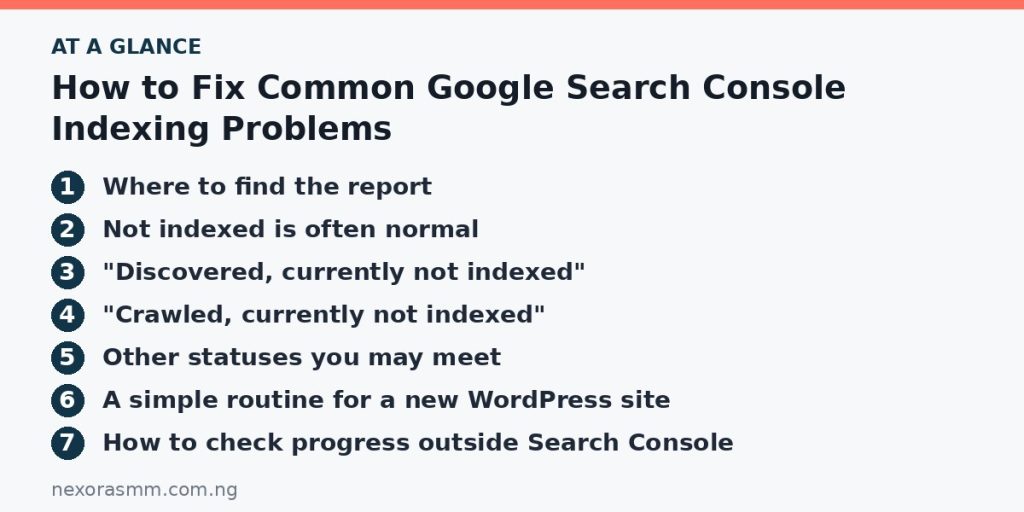
“Discovered, currently not indexed”
Google’s own definition, repeated across guides, says the page was found but not crawled yet. Google knows the address exists, for example from your sitemap or a link, but has not fetched it. Guides explain that Google may postpone the crawl to avoid overloading a site, and that sites with many low-value addresses can see crawling slow down. Typical fixes:
- Link to the page from your homepage, your menu or a related popular article, so it is easy to reach.
- Make sure the page is in your XML sitemap and the sitemap works.
- Check that your hosting is fast and does not time out.
- Remove or block large numbers of useless addresses, such as endless filter or tag pages.
- Be patient with new sites. Crawling can take days or weeks.
“Crawled, currently not indexed”
This is the status that worries people most. Google’s description is that the page was crawled but not indexed, and that it may or may not be indexed in the future. Guides describe it as a status, not a penalty, and say it usually means Google was not convinced the page added enough value. Common causes and fixes:
- Thin or generic content: expand the page with original information, examples and sources. One guide says pages under roughly 500 words with nothing distinctive are prime candidates, though length alone is not the point.
- Duplicates or near-duplicates: merge similar articles into one strong page and redirect the others.
- Mismatch with what people search for: rewrite the page so it answers the question its title promises.
- Weak internal links: link from related pages using descriptive text.
- Poor site-wide quality: a large number of weak pages can lower how much Google trusts new ones.
After you improve the page, use the inspection tool and request indexing. Google limits how many requests you can send, so do it for your best pages instead of every address.
Other statuses you may meet
- Excluded by “noindex” tag: the page tells Google not to index it. Remove the tag if you want it indexed. On WordPress, also check Settings, Reading, and make sure the option discouraging search engines is switched off.
- Blocked by robots.txt: a rule stops Google from crawling the page. Edit the file or your SEO plugin settings.
- Not found (404): the address does not exist. This is fine for pages you deleted on purpose, but fix broken internal links.
- Soft 404: the page loads but looks empty or like an error to Google, which often happens with empty category pages. Add content or remove the page.
- Page with redirect: the address sends visitors somewhere else. Usually no action is needed.
- Duplicate or alternate page with proper canonical: Google picked a different version as the main one. Check that your canonical tags point where you expect.
A simple routine for a new WordPress site
- Check that your site is not set to discourage search engines.
- Open your sitemap address in a browser to confirm it loads, and submit it in Search Console under Indexing, Sitemaps.
- Delete empty categories, tags and default posts, because they create thin or empty addresses.
- Link new articles from your homepage or category pages.
- Inspect your five most important pages and request indexing once.
- Wait at least a week or two before changing things again, and review the report weekly.
How to check progress outside Search Console
Searching for your domain with the site: operator in Google gives a rough picture of what is indexed, but the counts are approximate. Use it as a quick check and rely on Search Console for details.
What we could not confirm
- How long indexing will take for your specific site, which Google does not promise.
- The current daily limit for indexing requests.
- Whether a page you improved will be indexed. Google decides.
Frequently asked questions
Does “not indexed” mean my site is penalised? Not necessarily. Guides stress that these statuses are usually about priority and quality, not penalties.
Should I resubmit the same page every day? No. Fix the cause first and then request indexing once.
Will more pages help? Only if they are useful. Adding many weak pages can make indexing harder.
Key takeaways
Learn the difference between pages Google has not crawled and pages it crawled but chose not to index. Fix technical blocks first, then improve quality, internal links and sitemaps. Be patient, request indexing sparingly and focus on pages that deserve to be found.
Sources checked
- Onely, “How to Fix ‘Discovered – Currently Not Indexed’ in Google Search Console”
- SEOTesting, “Crawled – currently not indexed: what is it and how to fix?”
- The Egg, “Google Search Console: How to Fix Currently Not Indexed Issues”
- RightBlogger, “Crawled – Currently Not Indexed: What It Means and How to Fix It (2026)”
- Something Inc., “How To Fix Indexing Issues In Google Search Console”
Educational content only — not financial advice. Income and savings results vary and are never guaranteed. How we write
Enjoyed this story?
Get the best stories delivered weekly.