How to Recover a Hacked WhatsApp Account
Last checked: 10 October 2026. WhatsApp changes menus and recovery rules from time to time. The steps below combine WhatsApp’s standard re-registration process with guidance from security companies and news reports. If anything on your screen differs, follow the on-screen instructions and WhatsApp’s own Help Centre.
Finding out that someone else is using your WhatsApp is frightening, because the account holds private chats, photos, voice notes and the contacts who trust you. Scammers use hijacked accounts to message your friends and ask for money, so speed matters. This guide explains how to tell whether your account was really taken over, the order in which to act, what to do when a stranger has set a PIN you do not know and how to stop it happening again.
Signs your WhatsApp has been taken over
- WhatsApp suddenly logs you out and asks you to verify your number again.
- You receive a six-digit verification code by SMS that you did not request.
- Friends tell you that you messaged them asking for money, codes or favours.
- Messages appear as sent or read that you never sent or opened.
- Your Linked devices list shows a browser or computer you do not recognise.
Security company Kaspersky notes that attackers can take over an account in two broad ways. The methods most often reported are tricking you into handing over the registration code and getting you to link their device to your account. The recovery steps differ slightly, so we cover both.
Step 1: Re-register your number on your own phone
WhatsApp works with one main phone per number. Open WhatsApp, or install it again, and enter your phone number. Request the one-time registration code by SMS or by a voice call, then enter it as soon as it arrives. Doing this puts the account back on your phone and forces the other person’s session off. Do not tell anyone the code, even someone who claims they sent it to you by mistake. That is a common trick, and sharing the code gives the attacker control again.
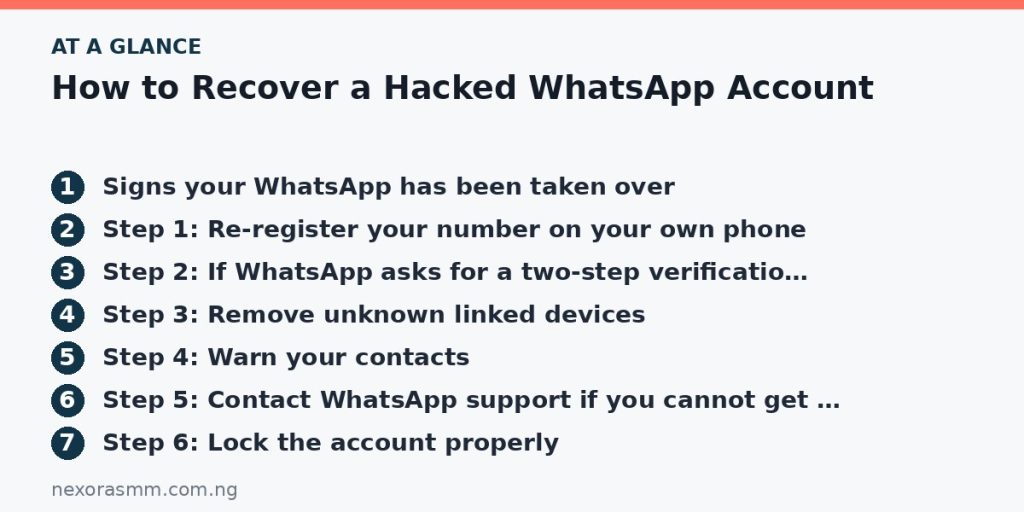
Step 2: If WhatsApp asks for a two-step verification PIN
If you had set a six-digit PIN, enter it after the code. If you never set one but WhatsApp asks for it, Kaspersky says the attacker may have created a PIN to lock you out. One guide reports that WhatsApp makes you wait seven days before you can reset a forgotten PIN when no recovery email was added. Treat that waiting period as something to confirm on your screen, and do not keep requesting new codes in a panic, because repeated requests can lead to temporary lockouts.
Step 3: Remove unknown linked devices
Once you are back in, open Settings and then Linked devices. Log out of every device you do not recognise. Linked devices stay connected until they are removed, and a hijacker who is linked as a browser can read your messages in real time without your phone ever showing an alert.
Step 4: Warn your contacts
Tell your close contacts, by phone call or another app, that your account was compromised and that they should ignore requests for money or codes. Kaspersky suggests changing your WhatsApp About text to a short warning, such as a note that the account was hacked and that no one should send money. Ask anyone who already sent money to contact their bank immediately.
Step 5: Contact WhatsApp support if you cannot get back in
If the code never arrives or you remain locked out, use Settings, Help, Contact us inside the app, or the Help Centre on WhatsApp’s official site. For a lost or stolen phone, news guides based on advice from a telecom regulator say you can email WhatsApp’s support address with the subject “Lost/Stolen: Please deactivate my account”, including your number in full international format. Use only addresses published on WhatsApp’s official site, because fake recovery services charge fees and steal more information.
Step 6: Lock the account properly
- Turn on Two-step verification under Settings, Account, choose a PIN you will remember and add a recovery email you control.
- Secure that email account with a strong, unique password and two-step sign-in, because anyone who controls your email can reset your PIN.
- If you suspect a SIM swap, where someone moved your number to another SIM, contact your network provider immediately and tell your bank.
- Check your phone for apps you did not install and update the operating system.
Step 7: Check what the attacker could have seen
Think about what you share in chats: bank screenshots, ID photos, passwords and addresses. Change any password that appears in your messages, tell your bank if account details were visible and be alert to targeted scams that use real details from your conversations.
What not to do
- Do not pay anyone who promises to “recover” your account for a fee.
- Do not click links in messages claiming to be from WhatsApp support.
- Do not reuse the same PIN or password you use elsewhere.
What we could not confirm
- The exact current waiting time for resetting a PIN without email, which one guide reports as seven days.
- Whether re-registering always removes every linked device. Always check the list yourself.
- Response times from WhatsApp support, which vary.
Frequently asked questions
Can a hacker read my old chats? If they linked a device, they can see synced messages and media available to that device. That is why the Linked devices check matters.
Will deleting WhatsApp fix it? Not on its own. Re-register, remove linked devices, set two-step verification and secure your email.
Should I tell the police? If money was lost or you were threatened, keep screenshots and report to the police and your bank.
Key takeaways
Re-register your number immediately, never share the six-digit code, remove unknown linked devices, warn your contacts and turn on two-step verification with a recovery email. Then secure the email account and phone behind it.
Sources checked
- Kaspersky, “What to do if your WhatsApp account gets hacked”
- Techpoint Africa, “What to do if your WhatsApp account is hacked: step-by-step recovery guide”
- Gulf News, report on advice from the UAE telecom regulator
- Pulse Uganda, “How to retrieve a hacked WhatsApp account”
Educational content only — not financial advice. Income and savings results vary and are never guaranteed. How we write
Enjoyed this story?
Get the best stories delivered weekly.