Best Free Apps for Editing Videos on Android
Last checked: 10 October 2026. Free plans, watermarks and export limits on video apps change often, and review sites do not always agree. The notes below summarise 2026 comparisons and app-store descriptions. Always test an export on your own phone before you commit to an app.
Almost every video editor for Android calls itself free. The real question is what “free” costs you: a watermark on every export, a limit on resolution, ads, or the best effects locked behind a subscription. This guide compares the apps that 2026 reviews mention most often, explains where their sources disagree and gives you a simple test to find the one that suits your phone and your videos.
What “free” can really mean
Before comparing apps, check four things in any free editor:
- Watermark: a logo or end card added to your finished video.
- Export quality: the maximum resolution and frame rate you can save, such as 1080p or 4K.
- Feature locks: effects, templates, fonts or AI tools that need a paid plan.
- Ads and storage: adverts inside the app, and how much phone storage projects use.
VN Video Editor
Several 2026 comparisons describe VN as the best free option for people who dislike watermarks. One review says its free version has no watermark on exports and no paywall on core features, offers multi-track editing and keyframes, and is available on Android, iOS and desktop. Its main trade-off is fewer AI tools than CapCut. Sources disagree on one detail: a comparison article from an editing-software company says VN keeps 4K export for paid plans, while another review says there are no hard export-quality limits on the free version. Another review adds that you may need to remove a “Made with VN” end card manually on free projects. That is exactly why you should test it yourself.
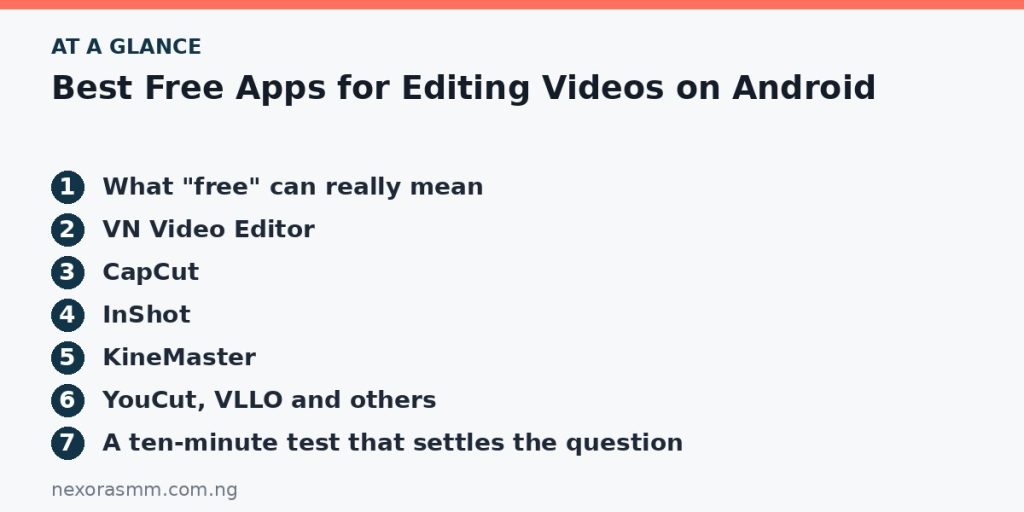
CapCut
CapCut is repeatedly named the most feature-rich option for social video, with AI captions, effects and templates. The catch is in the details. Some 2026 articles say exports from the free version can carry a CapCut watermark and that removing it, or unlocking certain tools, requires a paid tier. Another says watermark-free template exports and some of the best effects need a subscription. Others describe CapCut as fully free. Treat these as signs that behaviour depends on which templates and tools you use, and check an export before you publish.
InShot
InShot is widely recommended as the easiest place to start, with simple trimming, music, text and collage tools. Reviews agree on the trade-off: the free version adds a watermark and ads, and removing them is tied to InShot Pro. One 2026 review puts the Pro price at around twenty US dollars a year, but prices vary by country and time, so check the Play Store listing in your region.
KineMaster
KineMaster has been popular on Android for years. One 2026 roundup notes that its free version adds a watermark, and that serious use points toward a paid plan. It is more useful as a trial than as a permanently free solution.
YouCut, VLLO and others
Roundups also mention YouCut and VLLO as lightweight editors for beginners, and Instagram’s own Edits app as a free option for people who publish to Instagram. These listings change often, and a comparison of free tiers published by an editing-software company noted that watermark rules and limits change frequently across all these apps. Check the current listing and recent reviews before you rely on any of them.
A ten-minute test that settles the question
- Take a 30-second clip with a title, a transition and a music track.
- Edit the same clip in two or three apps using only free tools.
- Export each at the highest quality offered without paying.
- Check each exported video for watermarks, end cards and visible quality loss.
- Note how long the export took and how much storage the project used.
- Keep the app that gave you a clean result with the least friction.
Match the app to the job
- Quick social clips with captions: CapCut is often recommended, within the limits above.
- Longer videos with more control: VN is the recommendation that appears most in 2026 reviews of free editors.
- Simple edits and collages: InShot, if you accept a watermark or pay for Pro.
- Desktop-style professional editing: LumaFusion is described as paid software rather than a free app.
Tips for smoother editing on a budget phone
- Free up several gigabytes of storage before you start, because video projects and exports need space.
- Edit at 1080p unless you truly need 4K; it is faster and uses less storage.
- Close other apps and plug in your charger for long exports.
- Trim clips before adding effects, and avoid stacking many effects on one clip.
- Save the project often, and keep your original clips until the final export is checked.
Music, clips and copyright
An editor’s built-in music library does not always cover every platform. Use music and clips you created or have permission to use, check the licence if a track comes from an app library and avoid ripping songs from other videos. Copyright claims can remove videos or block earning, which matters if you plan to monetise a channel.
What we could not confirm
- The current free export limits of each app, which reviews report differently.
- Pricing in Nigerian naira, which varies by store and time.
- App availability in your country at the date you read this.
Frequently asked questions
Which app is best for beginners? InShot and CapCut are most often described as beginner-friendly, while VN suits people who want more control without a subscription.
Can I remove a watermark by cropping? Cropping can reduce your frame and may still break an app’s terms. Choose an app whose free exports meet your needs instead.
Do I need a powerful phone? Basic edits run on modest phones, but 4K and heavy effects need more memory and storage.
Key takeaways
“Free” varies by app, so test exports for watermarks, resolution and ads before you commit. VN, CapCut and InShot are the names that appear most in 2026 comparisons, each with trade-offs. Use licensed music and keep your phone ready with enough storage.
Sources checked
- Pixflow, “Best Mobile Video Editing Apps in 2026: CapCut, VN, InShot, and LumaFusion Compared”
- Primal Video, “3 Best Video Editing Apps for Android in 2026”
- Splice, “Free Video Editing Apps Without Watermark: What Actually Works in 2026?” (a software company’s own comparison)
- Vents Magazine, “Best Video Editing Apps for Android”
- PostIgniter, “Best Video Editing Apps for Android 2026”
Educational content only — not financial advice. Income and savings results vary and are never guaranteed. How we write
Enjoyed this story?
Get the best stories delivered weekly.