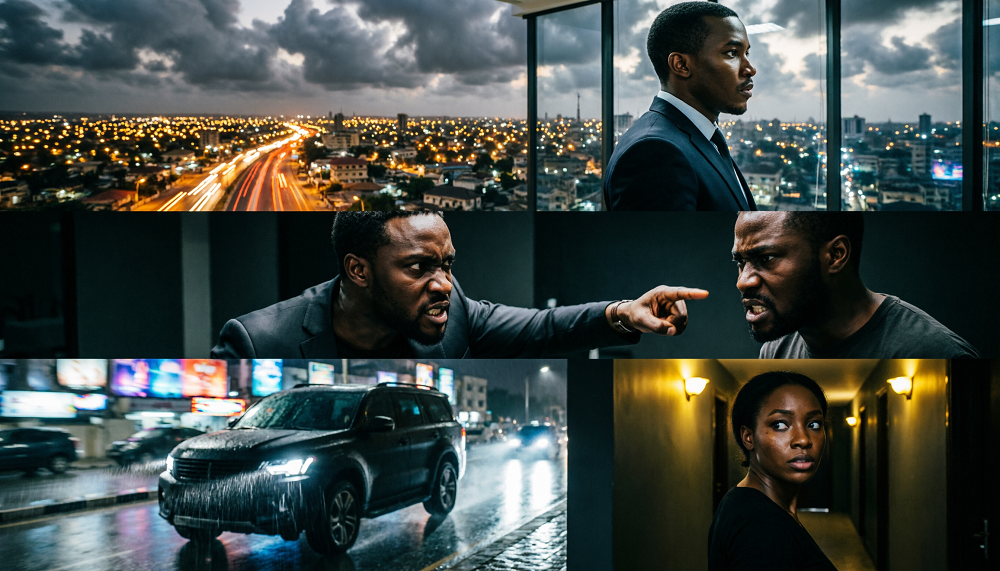
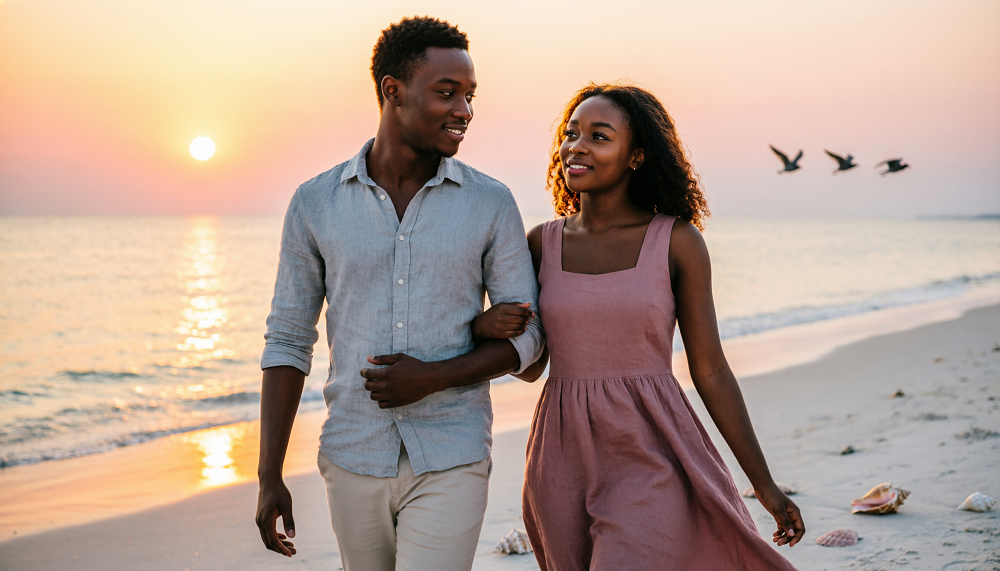
The Complete AI Prompt Formula for Filmmakers
Artificial intelligence is making it easier for independent filmmakers to turn written ideas into visual scenes. However, getting a professional result requires more than simply describing what should appear on the screen. A well-structured prompt can help AI tools understand the characters, environment, camera movement, lighting and emotional tone of a scene.
One useful approach is to divide the prompt into eight essential elements.
1. The Eight-Part AI Filmmaking Formula
| Element | What to describe |
|---|---|
| Character | Age, appearance, clothing and defining features |
| Action | What the character is doing |
| Location | Where the scene takes place |
| Time | Morning, afternoon, sunset or night |
| Lighting | Natural sunlight, moonlight or dramatic interior lighting |
| Camera | Close-up, wide shot, tracking shot or aerial view |
| Mood | Emotional, suspenseful, romantic or mysterious |
| Visual style | Realistic cinema, animation or stylized fantasy |
Including these elements gives the AI a clearer description of the scene you want to create.
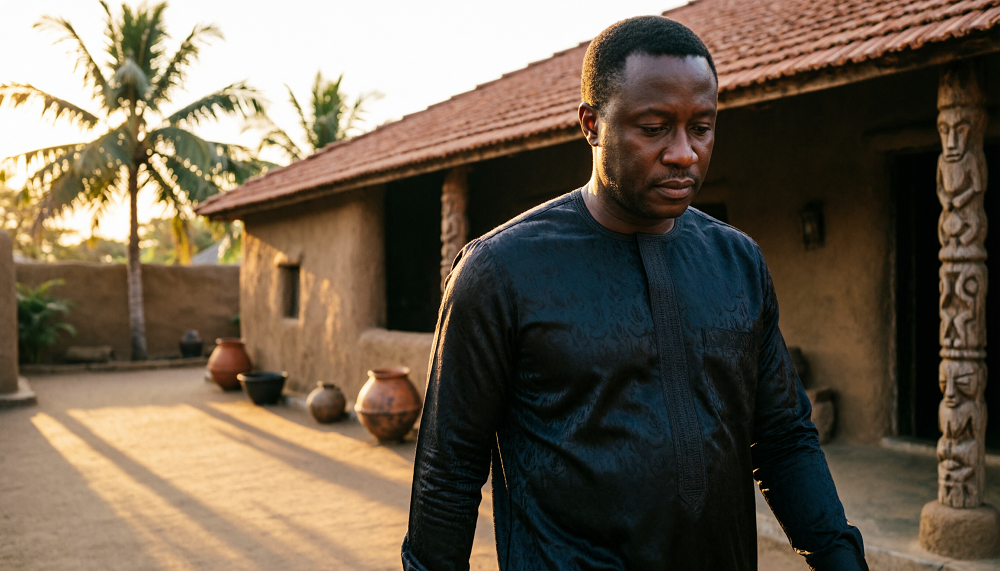
2. Example: A Cinematic African Drama Scene


7
Character: A 40-year-old Nigerian businessman wearing a dark traditional outfit.
Action: Walking slowly toward his family home.
Location: A large traditional compound in Ibadan.
Time: Sunset.
Lighting: Warm golden-hour sunlight.
Camera: Slow tracking shot from behind.
Mood: Emotional and mysterious.
Style: Realistic cinematic African drama.
Combined prompt
A 40-year-old Nigerian businessman wearing a dark traditional outfit walks slowly toward his family home in a large traditional compound in Ibadan at sunset. Warm golden-hour sunlight illuminates the compound as the camera slowly tracks behind him. His body language suggests emotional distress and mystery. Realistic Nigerian characters, natural movement, detailed traditional architecture, cinematic composition, realistic photography, shallow depth of field and professional African drama film aesthetics.
3. How to Maintain Continuity Between Scenes
When creating a movie with multiple scenes, consistency is just as important as prompt quality.
- Reuse the same character description in every scene.
- Keep the character’s face, hairstyle, skin tone and clothing consistent unless the story requires a change.
- Specify the camera movement clearly for video generation.
- Describe how each scene connects to the previous one.
- Use reference images when your AI tool supports them.
- Review the generated results before continuing to the next scene.
For example, if the businessman arrives at his family compound in Scene 1, Scene 2 might show him entering the living room. His appearance and clothing should remain consistent across both scenes.
4. A Reusable Prompt Template
You can copy this structure and replace the details for almost any AI image or video generator:
AI filmmaking prompt
CHARACTER
A [age]-year-old [character description] wearing [clothing].
ACTION
The character is [specific action and body language].
LOCATION AND TIME
The scene takes place in [location] during [time of day].
LIGHTING AND CAMERA
[Lighting description], filmed using a [camera angle or movement].
MOOD AND VISUAL STYLE
[Emotional atmosphere], realistic movement, cinematic composition, [desired visual style]. Copy prompt template
5. The Most Important Tip
How to Turn Ideas Into Cinematic Scenes
Artificial intelligence is changing how filmmakers create movies, short films, music videos, and online dramas. With AI image and video generators, creators can transform written ideas into visual scenes without needing an expensive camera, a large production crew, or a physical filming location.
However, getting professional results requires more than simply describing what you want to see. A prompt that produces an excellent image in one AI tool may generate a completely different result in another. Characters may change appearance, camera movements may not follow instructions, and scenes may lack the emotional depth needed to tell a compelling story.
The solution is to develop a repeatable prompting method that gives the AI clear instructions about the character, action, environment, lighting, camera, mood, and visual style.
In this guide, you will learn how to use a practical AI prompt formula to create more organized and cinematic scenes.
1. Start With a Clear Character Description
Character consistency is one of the most important challenges in AI filmmaking. If your main character appears in multiple scenes, viewers should recognize the same person throughout the story.
Before generating scenes, create a character reference that describes the person’s physical appearance and clothing.
Include details such as:
- Age and skin tone.
- Face shape and eye color.
- Hairstyle and distinctive features.
- Body type and height.
- Clothing, footwear, and accessories.
- Any features that must remain consistent throughout the film.
For example, imagine you are creating a Nigerian drama featuring a woman named Amara.
Character reference prompt:
“Amara is a 30-year-old Nigerian woman with dark brown skin, an oval face, expressive brown eyes, shoulder-length natural black hair, small gold earrings, and a slim build. She wears a blue traditional Yoruba blouse and matching wrapper. Maintain her facial features, hairstyle, skin tone, body proportions, and clothing consistently across scenes unless the screenplay specifies a change.”
Use this description as the foundation for every scene featuring Amara. If your AI tool supports reference images, character references, or image-to-video generation, use those features to improve consistency.
2. Describe the Action Clearly
A character description tells the AI who is in the scene, but the action explains what happens.
Avoid vague instructions such as “Amara is sad” when you need a specific dramatic moment. Instead, describe her physical behavior and emotional expression.
For example:
“Amara sits alone on the edge of her bed, holding a mobile phone with trembling hands. Tears begin to form in her eyes as she reads a message that has changed her life. She slowly lowers the phone and looks toward the window.”
This description gives the AI more visual information to work with. It also helps the scene communicate emotion without relying entirely on dialogue.
For video generation, specify how the action develops over time. A character might initially appear calm, gradually become worried, and finally react with shock.
3. Establish the Location and Time
The environment helps viewers understand where and when a scene takes place.
Instead of writing “Amara is in a room,” describe the room’s appearance, atmosphere, and relevant objects.
For example:
“Inside a modern Lagos apartment at night, with cream-colored walls, a large window overlooking distant city lights, a neatly arranged sofa, and a small table beside the bed.”
Time is equally important. Morning sunlight, a rainy afternoon, sunset, and midnight create different visual moods.
When creating a film with several connected scenes, maintain the same location details unless the story requires a change. This helps the scenes feel as though they belong to the same production.
4. Use Lighting to Create Emotion
Lighting can make an ordinary scene feel cinematic. It influences the atmosphere, reveals facial expressions, and guides the viewer’s attention.
Here are several lighting approaches to consider:
- Soft natural lighting: Suitable for family dramas, emotional conversations, and peaceful moments.
- Warm golden lighting: Useful for romance, nostalgia, and intimate scenes.
- Low-key lighting: Creates shadows and tension for suspense, mystery, or psychological drama.
- Cool blue lighting: Can communicate loneliness, sadness, or a cold nighttime environment.
- Backlighting: Separates a character from the background and can create a dramatic silhouette.
For example, a scene in which Amara discovers a betrayal might use soft light from a nearby window, with shadows falling across one side of her face.
Describe the lighting intentionally instead of simply adding the word “cinematic” to every prompt.
5. Add the Camera Movement
Camera instructions help determine how the audience experiences the scene. They can make a character appear powerful, vulnerable, isolated, or emotionally connected to another person.
Common camera techniques include:
- Close-up: Emphasizes facial expressions and emotional reactions.
- Wide shot: Establishes the environment and shows the character in relation to the location.
- Slow push-in: Gradually moves closer to a character to build emotional intensity.
- Tracking shot: Follows a character as they walk or move.
- Over-the-shoulder shot: Shows a conversation from behind one participant.
- Slow pan: Moves horizontally to reveal information or follow action.
For example, when Amara receives shocking news, a slow push-in toward her face can increase the emotional intensity of the moment.
For video prompts, specify whether the camera should remain still, move slowly, or follow the character. Avoid combining too many unrelated camera movements in a short clip.
6. Define the Mood and Visual Style
The mood explains the feeling you want the audience to experience. The visual style describes the overall appearance of the production.
A scene might have a tense, romantic, joyful, mysterious, or heartbreaking mood. Its visual style could be realistic Nollywood drama, cinematic realism, a period film, or stylized animation.
For a realistic Nigerian drama, you might specify:
“Photorealistic Nollywood film aesthetic, natural skin texture, realistic facial expressions, subtle film grain, detailed African interior design, cinematic composition, and natural body movement.”
Choose a style that fits the entire production. Using radically different visual styles between consecutive scenes can make a film feel inconsistent.
7. The Complete AI Prompt Formula
You can combine all these elements into one repeatable structure:
Character → Action → Location → Time → Lighting → Camera → Mood → Visual Style
Here is a complete example:
AI image prompt:
“Amara, a 30-year-old Nigerian woman with dark brown skin, an oval face, expressive brown eyes, shoulder-length natural black hair, small gold earrings, and a slim build, wearing a blue traditional Yoruba blouse and matching wrapper, stands inside a modern Lagos apartment after receiving a disturbing phone call. It is nighttime, and distant city lights are visible through the window. Soft blue light enters from outside while a warm bedside lamp illuminates part of her face. Medium close-up shot, subtle cinematic composition, realistic facial expression showing shock and disbelief, tense emotional atmosphere, photorealistic Nollywood drama, natural skin texture, realistic proportions, detailed environment, widescreen composition.”
For a video prompt, add the movement and timing:
“Amara slowly lowers the phone, her expression changing from confusion to shock. Her eyes begin to fill with tears as she takes a shallow breath and looks toward the window. The camera slowly pushes closer to her face. Her movements remain natural and restrained. Maintain consistent facial features, clothing, hairstyle, and body proportions throughout the shot.”
Generate the still image first if your workflow benefits from a visual reference, then use it to guide the video generation.
8. Generate Multiple Versions and Select the Best Result
Even a carefully written prompt does not guarantee a perfect result. Different AI tools interpret instructions differently, and some are better at maintaining character identity, producing natural movement, or following camera directions.
Rather than expecting the first generation to be final, treat AI filmmaking as an iterative production process.
- Create and approve the character reference.
- Break your screenplay into individual scenes.
- Write a separate prompt for each scene.
- Generate several versions when necessary.
- Select the version that best supports the story.
- Correct inconsistencies and regenerate difficult shots.
- Review the scenes together before editing the final film.
Pay particular attention to facial consistency, hands, body movement, clothing, lighting continuity, and the direction of movement between shots.
The Most Important Tip
Do not confuse a detailed prompt with a guaranteed result. A prompt is a set of instructions, not a promise that the AI will follow every detail perfectly.
The most effective workflow combines a clear character reference, carefully structured scenes, suitable camera instructions, repeated generation when necessary, and thoughtful editing.
Remember the formula:
Character → Action → Location → Time → Lighting → Camera → Mood → Visual Style
Use it as a repeatable production method to transform your screenplay into a more organized sequence of cinematic scenes. With practice, you can improve continuity, reduce unnecessary generations, and create AI-assisted films that communicate your story more effectively.
Educational content only — not financial advice. Income and savings results vary and are never guaranteed. How we write
Enjoyed this story?
Get the best stories delivered weekly.